The Nintendo 3DS family might’ve bowed out of active production years ago, but in 2026, millions of players still fire up their systems for Pokémon, Fire Emblem, and a library of classics that never made the jump to Switch. And every single one of those sessions depends on a working charger, a component that’s become surprisingly hard to track down as official stock dried up and third-party options flooded the market.
If your original AC adapter finally gave up, got lost in a move, or you picked up a used system without one, you’re facing a minefield of compatibility issues, sketchy knockoffs, and pricing that ranges from reasonable to highway robbery. This guide breaks down exactly what you need to know about 3DS chargers in 2026: which models work with which systems, where the reliable options are hiding, how to dodge the junk, and what to do when your system won’t charge no matter what you plug in.
Key Takeaways
- The Nintendo 3DS charger uses a proprietary 4.6V DC connector that works across all 3DS models, the Nintendo 2DS, DSi, and DSi XL, but not original DS systems.
- Official Nintendo WAP-002 adapters are rare and expensive in 2026, but reputable third-party chargers from brands like Tomee and PowerA offer reliable alternatives in the $8-15 price range.
- USB charging cables provide portable flexibility by converting standard 5V to 4.6V, though they charge slower (4-5 hours versus 3-3.5 hours) and may struggle during intensive gaming.
- Verify safety certifications (UL, CE, FCC) on any third-party Nintendo 3DS charger and avoid unbranded options below $8, which often have voltage irregularities or poor build quality.
- If your 3DS won’t charge, test the outlet and charger first, inspect the port for debris or corrosion, and consider battery replacement if the system only works while plugged in.
- Protect your charger by loosely looping cables with velcro straps, pulling from the plug body when disconnecting, and storing in dry conditions to avoid damage and extend lifespan.
Understanding the Nintendo 3DS Charging System
Official Nintendo 3DS Charger Specifications
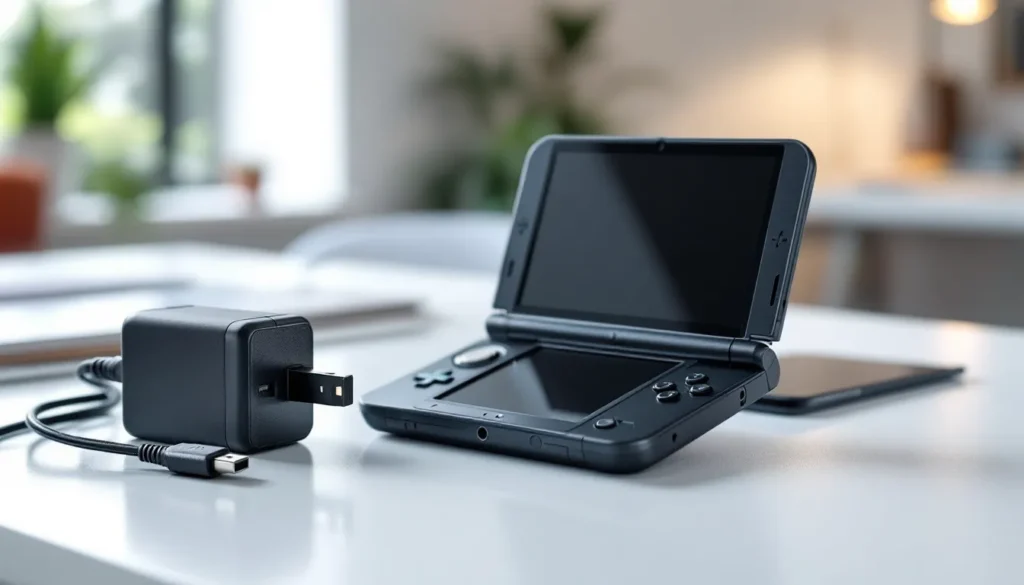
Nintendo’s official AC Adapter (WAP-002) outputs 4.6V DC at 900mA, which is a non-standard voltage you won’t find on most generic chargers lying around your house. That specific output is why you can’t just grab any USB cable or phone charger and expect it to work, the 3DS family needs that exact voltage to charge safely and efficiently.
The connector itself is a proprietary barrel-style plug, roughly 3.5mm in diameter. Nintendo didn’t use micro-USB or USB-C (this was 2011-2017 hardware, after all), so there’s no universal cable option without an adapter in the mix.
The official charger is rated for 100-240V AC input, meaning it works worldwide with the right plug adapter, handy if you’re importing systems or traveling with your 3DS.
Compatibility Across 3DS Models
Here’s where things get straightforward: one charger fits all. The WAP-002 AC adapter works with every single member of the 3DS family:
- Nintendo 3DS (original model)
- Nintendo 3DS XL
- Nintendo 2DS
- New Nintendo 3DS (standard and XL)
- New Nintendo 2DS XL
It also works with the Nintendo DSi and DSi XL, since those systems share the same charging port and voltage requirements. That means if you’ve got a dusty DSi charger in a drawer somewhere, it’ll power your 3DS just fine.
The key exception: this does not work with the original DS or DS Lite. Those used completely different charging systems, so don’t waste time hunting through old DS accessories hoping for a match.
Types of Nintendo 3DS Chargers Available
Original Nintendo AC Adapters
Genuine Nintendo WAP-002 adapters are the gold standard, but they’re increasingly scarce in 2026. Nintendo discontinued production years ago, and remaining new-in-box units command premium prices, sometimes $30-50 from resellers who know what they’ve got.
Used official chargers circulate on secondary markets, typically $15-25 depending on condition. They’re built like tanks, so even a well-worn official adapter usually outperforms a budget third-party option. Check for frayed cables, damaged plugs, and ensure the Nintendo branding is clear (counterfeits exist).
Third-Party Replacement Chargers
The third-party market is massive and wildly inconsistent. Reputable brands like Tomee, Insten, and PowerA produce adapters that match Nintendo’s specs closely, typically priced $8-15. These usually work fine for casual use, though build quality varies, expect thinner cables and lighter-weight construction than the original.
Rock-bottom $5 chargers from unknown manufacturers are a gamble. Some work perfectly, others fail within weeks, and a few have been reported to damage charging ports or batteries due to voltage irregularities. If the product listing doesn’t specify 4.6V output explicitly, skip it.
USB Charging Cables
USB charging cables for 3DS convert standard 5V USB power to the 4.6V the system needs, usually via an inline voltage regulator. These plug into any USB power source, wall adapters, laptops, power banks, car chargers, making them incredibly versatile for travel.
The catch: charging speed. USB cables typically deliver lower amperage than the official adapter, meaning longer charge times (sometimes 4-5 hours for a dead battery versus 3-3.5 hours with the AC adapter). They also won’t charge while playing power-intensive games as efficiently.
Quality matters here too. Cheap USB cables can overheat or fail to regulate voltage properly. Look for options with inline fuses and clear specifications from brands with actual customer support.
Car Chargers and Portable Options
Car chargers designed for 3DS plug into 12V DC outlets and regulate down to 4.6V. Useful for road trips, though they share the same quality concerns as third-party AC adapters. Expect to pay $10-18 for decent options.
Portable charging solutions often overlap with USB cables, any USB-to-3DS cable paired with a power bank becomes a portable rig. Some manufacturers sold dedicated battery packs with built-in 3DS connectors, but those are rare in 2026 and usually not worth hunting down when USB options are more flexible.
How to Choose the Right 3DS Charger
Safety Certifications to Look For
UL, CE, and FCC certifications are your baseline for third-party chargers. These indicate the product passed basic safety testing for electrical standards, reducing the risk of shorts, overheating, or fire hazards. Listings without any certification marks are red flags.
Check product images for certification logos printed on the adapter body, not just mentioned in the description. Counterfeit listings sometimes claim certifications they don’t have.
If you’re buying from major retailers with return policies, the risk is lower. Sketchy marketplaces and ultra-cheap imports are where certification matters most.
Price vs. Quality Considerations
The $8-15 range hits the sweet spot for third-party chargers in 2026. Below $8, you’re often sacrificing durability, proper voltage regulation, or both. Above $20, you’re usually paying for branding or seller markup unless it’s a genuine Nintendo adapter.
Used official chargers at $15-20 often beat new third-party options at the same price. Gaming communities have noted that many hardware buying guides emphasize longevity over upfront cost, and that applies here, a $15 official charger that lasts five years beats a $7 knockoff that dies in six months.
For USB cables, aim for the $10-12 range from recognizable brands. The $5 options are tempting but have higher failure rates based on user reports across forums and review aggregators.
Where to Buy Nintendo 3DS Chargers in 2026
Official Retailers and Resellers
GameStop still stocks third-party 3DS chargers in-store and online, typically from their PowerA house brand. Availability varies by location, but their return policy makes them a safer bet than unknown online sellers.
Best Buy occasionally carries third-party options, though selection has dwindled. Check their online marketplace for third-party sellers operating through their platform.
Nintendo’s official store discontinued 3DS accessories years ago. Don’t waste time there.
Specialty retro gaming shops, both physical stores and online retailers like eStarland and DKOldies, often stock used official chargers and curated third-party options. Prices run higher, but quality control is usually better than open marketplaces.
Online Marketplaces
Amazon dominates here, with dozens of third-party options. Stick to listings with Amazon’s Choice badges or sellers with 1,000+ reviews averaging 4+ stars. Read recent negative reviews to spot patterns (repeated mentions of voltage issues, dead-on-arrival units, or port damage are deal-breakers).
eBay is the go-to for used official Nintendo chargers. Filter for sellers with high feedback scores and clear return policies. Listings with actual photos of the specific item (not stock images) tend to be more reliable. Watch out for counterfeits, compare photos to genuine units if you’re unsure.
Walmart and Target online marketplaces function similarly to Amazon’s third-party seller system. Same rules apply: vet the seller, check reviews, confirm specs.
Troubleshooting Common 3DS Charging Issues
3DS Not Charging: Diagnostic Steps
If your 3DS won’t charge, start with the basics:
- Test the outlet: Plug something else in to confirm power.
- Try a different charger: Borrow one if possible to rule out charger failure.
- Inspect the charging port: Shine a light into the port on your 3DS. Look for debris, bent pins, or visible damage.
- Check for corrosion: White or green residue inside the port indicates corrosion, often from liquid exposure.
- Test the battery: If the system works while plugged in but dies immediately when unplugged, the battery is likely shot.
If the orange charging light flickers or doesn’t turn on at all, the issue is usually the charger, port, or internal charging circuitry, not the battery.
Fixing Loose or Damaged Charging Ports
Loose charging ports plague older 3DS systems. The port is soldered to the motherboard, and repeated plug/unplug cycles can weaken the connection or crack solder joints.
Temporary fix: Angle the charger plug slightly while it’s inserted and secure it with tape. This isn’t sustainable, but it works in a pinch.
Permanent fix: Charging port replacement requires disassembly and soldering skills. Replacement ports cost $5-10, and there are detailed teardown guides for every 3DS model. If you’re not comfortable with soldering, local repair shops (especially those specializing in retro gaming hardware) can handle it for $40-70.
Debris in the port sometimes mimics a loose connection. Use a wooden toothpick (never metal, you’ll short something) to gently scrape out lint or dust.
Battery Won’t Hold a Charge
3DS batteries are lithium-ion, rated for roughly 500 charge cycles before capacity degrades noticeably. After 8-12 years, many original batteries are well past their prime.
Symptoms of a dying battery:
- System dies at 30-50% charge remaining
- Battery drains fully within 1-2 hours of light use
- System only works while plugged in
Replacement batteries are widely available, $10-20 for third-party options, $25-35 for OEM Nintendo parts (if you can find them). Installation requires a small Phillips screwdriver and takes 5-10 minutes, no soldering needed. The battery is user-accessible on most 3DS models via a panel on the back.
Be cautious with ultra-cheap replacement batteries. Some claim higher mAh ratings than original Nintendo batteries but deliver worse real-world performance due to poor quality control. Many tech setup tutorials stress verifying seller reputation before buying batteries, overcharging or thermal issues from bad batteries can damage the system.
Maintaining Your 3DS Charger for Longevity
Proper Cable Management and Storage
Cables fail from repeated stress at connection points, where the cable meets the plug and the adapter body. Never wrap the cable tightly around the adapter for storage: this creates sharp bends that damage internal wiring over time.
Instead, loop the cable loosely and secure with a velcro strap or twist tie. Leave a few inches of slack at both ends to minimize strain.
When unplugging, pull from the plug body, not the cable. Yanking the cable creates stress on solder points inside the connector, which eventually causes intermittent connections or total failure.
Store chargers in a dry, room-temperature environment. Extreme heat (like a hot car in summer) degrades insulation and internal components. Moisture exposure corrodes connectors.
Protecting Your Charger During Travel
Hard cases or cable organizers prevent chargers from getting crushed or tangled with other gear in bags. A $5 cable case saves you from replacing a $15+ charger.
If you’re flying, pack chargers in carry-on bags. Checked luggage handlers aren’t gentle, and adapters with heavy transformer blocks are particularly vulnerable to impact damage.
For international travel, confirm your charger’s input voltage (100-240V for official Nintendo adapters) and bring a plug adapter for the destination country’s outlets. The charger handles voltage conversion: you just need the physical plug shape.
Alternatives to Traditional Charging Methods
Power Banks and Portable Battery Solutions
Any USB power bank paired with a USB-to-3DS cable creates a portable charging station. This setup is perfect for long flights, road trips, or gaming sessions far from outlets.
Capacity matters: a 10,000mAh power bank can fully charge a 3DS 3-4 times. Look for power banks with at least 1A output on the USB port to maintain reasonable charging speeds (some ultra-cheap banks output only 0.5A, which charges glacially slow).
Power banks with pass-through charging let you charge the bank and the 3DS simultaneously from one wall outlet, convenient for overnight charging.
Charging Docks and Stands
Nintendo produced an official charging cradle for some 3DS models. You drop the system into the dock, and it connects via the charging port, no plugging/unplugging cables. These are mostly cosmetic conveniences, though they do reduce wear on the charging port.
Used official docks pop up on eBay for $15-25. Third-party docks exist but are less common and often cheaply made. If you’re gentle with cables, a dock isn’t necessary, but they’re nice quality-of-life accessories if you charge in the same spot regularly.
Some docks include cable management routing to keep your setup tidy, helpful if you’ve got multiple systems or a cluttered gaming area.
DIY Charging Solutions: What Works and What to Avoid
The DIY crowd has explored various 3DS charging hacks over the years. Here’s what actually works and what’s dangerous.
USB cable mods (soldering USB cables directly to the 3DS charging port) can work if you understand voltage regulation. The 3DS needs 4.6V, but USB delivers 5V, so you need a voltage regulator circuit in between. Skip this unless you’re experienced with electronics, improper voltage can fry the charging circuitry or battery.
Wireless charging mods have been attempted by adding Qi receiver coils inside the 3DS shell. Technically possible, but it requires significant internal modification, adds bulk, and charging speeds are painfully slow. Not practical for most users.
Rigging other chargers to fit (cutting connectors, using adapters, etc.) is risky. Even if the plug physically fits, voltage and amperage mismatches can damage the system. A PSP charger, for example, outputs 5V, too high for safe 3DS charging without regulation.
What to avoid completely:
- Bypassing voltage regulation on USB cables
- Using damaged chargers with exposed wiring (fire hazard)
- Charging with unregulated power supplies from non-gaming electronics
- Attempting to charge via the headphone jack or other non-charging ports (yes, people have tried)
If a DIY solution seems sketchy, it probably is. Replacement chargers are cheap enough in 2026 that the risk isn’t worth the $5 you might save with a janky workaround. Gaming hardware communities on platforms like Nintendo Life consistently advise against improvised charging methods due to the potential for permanent system damage.
Conclusion
Keeping a 3DS powered in 2026 is trickier than it was five years ago, but it’s far from impossible. Whether you’re tracking down a used official adapter, vetting third-party options, or setting up a USB charging solution for portability, the key is knowing exactly what specs to look for and which compromises are acceptable.
The 3DS library isn’t going anywhere, and as long as players keep those systems alive, the demand for reliable chargers will stick around. Invest in a decent charging setup now, take care of your cables, and you’ll be replaying A Link Between Worlds and wrapping up your Pokémon living dex for years to come.