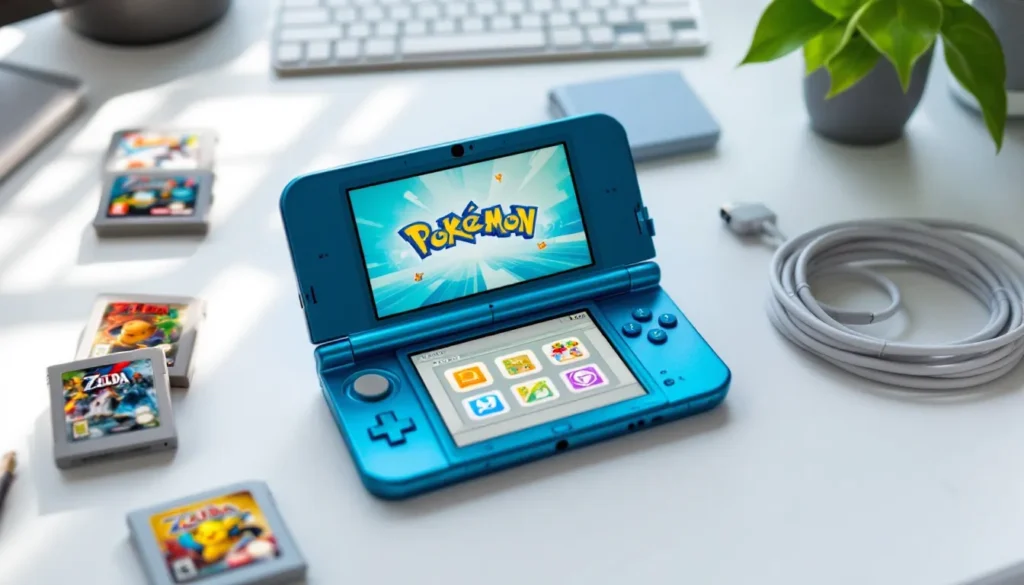
The Nintendo 3DS might be retired from production, but it’s far from forgotten. In 2026, this dual-screen handheld remains one of the most compelling ways to experience hundreds of exclusive titles that never made the jump to Switch. Whether you’re hunting for a budget-friendly way to catch up on classics like Pokémon X/Y or revisit the golden age of portable gaming, buying a used 3DS offers incredible value, if you know what to look for.
This guide cuts through the confusion around different 3DS models, pricing expectations, and the inspection checklist that separates a solid deal from a potential headache. From understanding the difference between a New 3DS XL and the original to navigating online marketplaces safely, we’ll cover everything you need to make an informed purchase in 2026’s secondhand market.
Key Takeaways
- A used Nintendo 3DS offers access to over 1,300 exclusive games plus 2,000+ backward-compatible DS titles at a fraction of modern hardware costs, making it an unmatched value for JRPG and retro gaming enthusiasts.
- The New Nintendo 3DS XL delivers the best performance and compatibility for most buyers, while the 2DS XL provides budget-friendly access to exclusive New 3DS titles without the stereoscopic 3D feature.
- Before purchasing a used 3DS, thoroughly inspect screen condition, test all buttons and the Circle Pad, check battery health (expect 3-5 hours per charge), and verify region compatibility to avoid costly mistakes.
- Used 3DS prices in 2026 range from $40-$60 for loose 2DS models to $120-$160 for New 3DS XL consoles, with limited editions commanding premium prices and condition heavily affecting resale value.
- Purchase from protected marketplaces like eBay or Mercari, verify seller reputation with 98%+ feedback, demand photos of the powered-on system, and always use PayPal Goods & Services to ensure buyer protection.
- Most common 3DS issues like battery failure, Circle Pad wear, and shoulder button problems are inexpensive and quick to fix (DIY-friendly), with replacement parts readily available for under $25 and simple YouTube repair guides available for every model.
Why Buy a Used Nintendo 3DS in 2026?
It’s a fair question. The Switch dominates headlines, the Steam Deck keeps evolving, and mobile gaming’s more powerful than ever. So why pick up a handheld that Nintendo discontinued years ago?
Access to an Incredible Library of Exclusive Games
The 3DS library sits at over 1,300 physical releases and hundreds more digital-only titles. We’re talking The Legend of Zelda: A Link Between Worlds, Fire Emblem Awakening, Shin Megami Tensei IV, Monster Hunter 4 Ultimate, and the entire Professor Layton series. None of these made it to Switch, and many never will.
Backward compatibility sweetens the deal even further. Every 3DS plays the original DS library, another 2,000+ games, meaning you’ve got access to Pokémon HeartGold/SoulSilver, Radiant Historia, The World Ends With You, and more. That’s decades of gaming across two generations on one device.
For JRPG fans especially, the 3DS represents a treasure trove. Atlus supported it heavily through 2019, and many Japanese RPG enthusiasts still consider it the definitive platform for portable role-playing experiences.
Affordable Gaming Without Compromising Quality
Let’s talk numbers. A used 3DS can run anywhere from $60 to $180 depending on model and condition, a fraction of what you’d spend on current-gen hardware. Games? Most cartridges sit in the $15-$40 range on the secondhand market, with first-party Nintendo titles holding value better than third-party releases.
You’re not sacrificing build quality for that price, either. These things were built for kids to throw in backpacks. The New 3DS XL especially feels solid even after years of use, and replacement parts remain readily available if something does break.
For gamers on a budget or anyone wanting a dedicated handheld for trips without risking their $400 Switch OLED, a used 3DS hits a sweet spot that nothing else quite matches in 2026.
Understanding the Nintendo 3DS Family: Which Model Is Right for You?
Nintendo released six different 3DS variants between 2011 and 2017, and they’re not just cosmetic differences. Performance, screen size, and features vary significantly across the lineup.
Original Nintendo 3DS and 3DS XL
The launch models from 2011-2012. Both feature dual screens (top screen in stereoscopic 3D), a Circle Pad, face buttons, and the classic clamshell design. The standard 3DS has a 3.53-inch top screen, while the XL bumps that to 4.88 inches.
Key limitations: Single analog input (no C-stick), slower CPU, no built-in NFC reader for amiibo, and narrower 3D viewing angles. Some later games like Xenoblade Chronicles 3D won’t run on these models at all.
Best for: Extreme budget shoppers or collectors who want the original hardware experience. The standard 3DS also has swappable faceplates if customization matters to you.
New Nintendo 3DS and New 3DS XL
Released in 2015, the “New” models aren’t just marketing, they pack genuinely improved hardware. Faster CPU, additional shoulder buttons (ZL/ZR), a C-stick nub for camera/aiming control, face-tracking 3D that actually works, and built-in NFC for amiibo scanning.
Performance boost: Load times are noticeably faster, and exclusive titles like Fire Emblem Warriors and Minecraft only run on New hardware. The Super NES Virtual Console library is also locked to New models.
Screen sizes: Standard New 3DS has the same 3.53-inch screen but only released in limited quantities in North America (mostly special editions). The New 3DS XL became the standard with its 4.88-inch display.
Best for: Most buyers. The performance improvements and game compatibility make this the sweet spot for anyone serious about building a 3DS library in 2026.
Nintendo 2DS and 2DS XL
The budget-conscious options that sacrifice the stereoscopic 3D effect. The original 2DS (2013) ditched the clamshell design entirely for a flat wedge shape, weird to hold but nearly indestructible. No hinges mean one less failure point.
The 2DS XL (2017) brought back the clamshell but kept costs down with cheaper materials and no 3D. It runs on New 3DS hardware, meaning it plays the exclusive titles and has the faster CPU, but feels noticeably lighter and slightly flimsier than the New 3DS XL.
Best for: 2DS, young kids or anyone who hates the 3D effect and wants maximum durability. 2DS XL, buyers who want New hardware performance without paying New 3DS XL prices and don’t care about stereoscopic 3D.
What to Check Before Buying a Used 3DS
Buying secondhand means doing your assignments. These handhelds have been through years of use, and not all wear is visible in listing photos. Here’s what separates a solid purchase from a future paperweight.
Screen Condition and Dead Pixels
Both screens should be scratch-free and responsive. Dead pixels show up as tiny dots that stay black (or stuck on one color) regardless of what’s displayed. Check against a white background and a black one.
The top screen’s more vulnerable since it’s larger and uses different tech. Yellowing around the edges indicates UV exposure or age, not a dealbreaker but worth negotiating price down. Screen protectors can hide scratches, so ask if they’re installed and what’s underneath.
If buying online, request photos of the system powered on displaying different colors. Sellers dodging this request are hiding something.
Button Responsiveness and Circle Pad Functionality
Every button should click cleanly with no mushy feeling or double-inputs. The Circle Pad wears down over time, check for loose wobble or if it doesn’t spring back to center. Replacement Circle Pads cost $5-$10 and take fifteen minutes to swap, but factor that into your offer if needed.
On New models, test the C-stick nub. It’s pressure-sensitive rather than motion-based and feels weird even when new, but it shouldn’t be completely unresponsive.
Shoulder buttons (L/R, and ZL/ZR on New models) are notorious failure points. Make sure they register consistently without needing excessive force.
Battery Health and Charging Port
Original batteries are 10+ years old on early models. Expect degraded capacity. A healthy 3DS should still get 3-5 hours on a charge depending on brightness and 3D usage. Anything under two hours suggests the battery needs replacing, $15-$25 for OEM or third-party cells.
Inspect the charging port for wobble or bent pins. If the charger doesn’t sit snugly, you’re looking at a repair job. Nintendo used proprietary chargers for the 3DS family (not USB), so factor in $8-$12 for an official or third-party adapter if it’s not included.
Hinge Integrity and Shell Condition
Clamshell models live and die by their hinges. Open and close the system several times. It should stay at whatever angle you set without flopping open or snapping shut. Cracks near the hinge are red flags, these can spread and eventually break the ribbon cable connecting the screens.
Cosmetic wear like scratches on the shell won’t affect performance but impacts resale value if you ever upgrade. Limited edition models command higher prices even with wear, so condition matters more on those.
The 2DS (flat model) skips this issue entirely but check that the volume slider and power button aren’t loose.
Software Status and Region Lock Considerations
All 3DS systems are region-locked for physical cartridges and eShop access. A Japanese console won’t play North American games and vice versa. Confirm the region matches your intended game library before buying.
Check the system’s firmware version if possible. Nintendo ended eShop support for 3DS in March 2023, but you can still redownload previously purchased titles. If the seller has digital games installed, those are tied to their Nintendo Network ID, you can’t transfer them without their account credentials (risky and against ToS).
Some systems on the secondhand market run custom firmware (CFW). This isn’t inherently bad, but understand what you’re getting into. CFW voids any remaining warranty and can complicate troubleshooting if issues arise.
Where to Buy a Used Nintendo 3DS Safely
The secondhand market for 3DS consoles is thriving across multiple platforms, but each comes with different risk levels and buyer protections.
Online Marketplaces: eBay, Mercari, and Facebook Marketplace
eBay remains the most popular destination for used 3DS consoles. Buyer protection policies favor purchasers heavily, you can open disputes for items not matching descriptions or arriving damaged. Prices tend higher here since sellers account for fees (around 12.5% after payment processing), but you’re paying for security.
When browsing Nintendo 3DS eBay listings, filter by “Sold Items” to see actual market rates rather than optimistic asking prices. Look for sellers with 98%+ feedback and at least 50 transactions. Avoid listings with stock photos only, demand actual photos of the specific unit you’re buying.
Mercari offers similar buyer protection with lower seller fees, translating to slightly better prices. The platform skews younger, meaning you’ll find more well-maintained systems from users who upgraded to Switch. Shipping’s built into the listing price, and Mercari holds payment until you confirm the item arrived as described.
Facebook Marketplace is pure Wild West. No buyer protection, no standardized shipping, and quality varies wildly. That said, it’s where the deals hide. Local pickup lets you inspect before paying, and sellers can’t hide issues when you’re testing the system in person. Bring a charger and a game cart to verify everything works.
Never buy without seeing it powered on. Cash transactions mean no recourse if issues emerge later.
Retail Stores: GameStop, Local Game Shops, and Pawn Shops
GameStop still stocks used 3DS hardware with 30-day return windows. Prices run 10-20% above market rate, but you’re buying peace of mind. Systems are tested (though not deeply), and you can return for any reason within the window.
Inventory varies wildly by location. Call ahead or check online stock before making the trip. Avoid their “refurbished” label, it usually just means wiped clean, not actually repaired.
Local game shops offer better expertise and often better prices than GameStop. Staff are usually collectors themselves who know what to check. Return policies vary but tend to be fair. These shops also carry retro accessories GameStop doesn’t bother with.
Pawn shops are hit-or-miss. Employees rarely test gaming hardware beyond “does it turn on,” so you might score a pristine system for $60 or buy someone’s broken trade-in. Inspect thoroughly and haggle, these places expect negotiation.
Most pawn shops have 7-14 day return windows, but read the receipt fine print.
Private Sales and Reddit Communities
Subreddits like r/GameSale and r/3DS help peer-to-peer transactions with community-enforced reputation systems. Sellers post asking prices, buyers comment then move to DMs, and payment typically goes through PayPal Goods & Services (which includes buyer protection).
The community aggressively self-polices scammers. Check a seller’s post history and confirmed trades before committing. Prices here tend to split the difference between Facebook’s wild deals and eBay’s premium costs.
Risks are manageable if you follow the rules: always use PayPal G&S, never accept “friends and family” payment (no protection), and confirm the seller has positive trade flair. Popular community-driven platforms tend to yield honest interactions when you’re dealing with gaming communities that value long-term reputation.
Current Pricing Guide for Used 3DS Models in 2026
Market prices fluctuate based on condition, region, color, and whether limited editions are involved. Here’s what you should expect to pay as of early 2026:
Original 3DS (2011)
- Loose (console only): $50-$75
- Complete (charger, stylus, box): $90-$120
- Limited editions (Zelda, Pokémon variants): $120-$200+
3DS XL (2012-2013)
- Loose: $70-$100
- Complete: $110-$150
- Limited editions: $150-$250
New Nintendo 3DS (2015)
- Loose: $110-$150 (harder to find in North America)
- Complete: $160-$220
- Limited editions (Pokémon 20th Anniversary, etc.): $250-$400+
New Nintendo 3DS XL (2015-2017)
- Loose: $120-$160
- Complete: $170-$220
- Limited editions (SNES Edition, Samus Returns): $200-$350+
Nintendo 2DS (2013)
- Loose: $40-$60
- Complete: $70-$95
- Special editions (Pokémon variants): $90-$150
New Nintendo 2DS XL (2017)
- Loose: $90-$130
- Complete: $130-$180
- Limited editions: $160-$250
Condition dramatically affects these ranges. “Like new” systems with minimal wear command the high end. Heavy cosmetic damage, missing battery covers, or non-working 3D can slash prices 30-40%.
Japanese import systems typically run $20-$40 cheaper than domestic equivalents but remember the region lock, they only play Japanese games.
For comparison context with newer hardware, check out pricing dynamics on other Nintendo systems to understand the broader market when considering used Switch consoles.
Essential Accessories and Add-Ons for Your Used 3DS
A bare console is just the starting point. These accessories transform the experience from functional to optimal.
Chargers, Screen Protectors, and Cases
If your used 3DS doesn’t include the charger, grab one immediately. Official Nintendo chargers run $10-$15 and are worth it over sketchy third-party options that might fry the charging circuit. The 3DS, 3DS XL, 2DS, and all New models use the same proprietary connector, so one charger covers the whole family.
Screen protectors should be your first purchase. The bottom touchscreen scratches easily from stylus use. Tempered glass protectors ($8-$12 for a two-pack) offer better protection than film types and feel smoother. Apply them before you start gaming, trying to buff out scratches later is a losing battle.
Cases range from $10 soft pouches to $30 hard-shell carriers with game cart storage. For regular travel, a hard case is mandatory. The clamshell design protects the screens but not the exterior shell. AmazonBasics and Butterfox make solid options that won’t expensive.
Storage Solutions: SD Cards and Game Cartridge Cases
The 3DS supports up to 32GB SD cards officially, though larger cards work if formatted to FAT32. Since the eShop closed for purchases in 2023, digital storage matters less unless you’re redownloading a large existing library.
For physical collectors, game cartridge cases keep your library organized. Those generic 24-slot cases on Amazon ($12-$15) beat loose carts rattling around in a drawer. 3DS carts are tiny and easy to lose, ask anyone who’s ever found one in the washing machine.
Extra styluses are cheap insurance ($5 for a 3-pack). The original telescoping styluses were easy to lose, and replacements don’t always fit perfectly but they get the job done. New 3DS XL models had non-telescoping styluses that some people prefer for the extra rigidity.
Must-Have Games to Play on Your Used Nintendo 3DS
You bought the system for its library. Here’s where to start depending on your tastes:
RPGs:
- Pokémon X/Y and Sun/Moon – The 3D era Pokémon games that pushed the hardware
- Fire Emblem Awakening – The tactical RPG that saved the franchise
- Bravely Default – Classic JRPG structure with modern quality-of-life features
- Shin Megami Tensei IV – Demon-fusing dungeon crawling from Atlus
- Dragon Quest VIII: Journey of the Cursed King – Definitive portable version
Action/Adventure:
- The Legend of Zelda: A Link Between Worlds – Top-down Zelda perfection
- Metroid: Samus Returns – Fantastic remake of Metroid II
- Kid Icarus: Uprising – Bonkers but brilliant rail-shooter/action hybrid
- Luigi’s Mansion: Dark Moon – Charming ghost-busting sequel
Platformers:
- Super Mario 3D Land – Tight 3D platforming designed for handheld play
- Donkey Kong Country Returns 3D – Brutally difficult but rewarding
- Kirby: Planet Robobot – One of the pink puffball’s best outings
Unique Experiences:
- Animal Crossing: New Leaf – The life sim that defined the genre pre-New Horizons
- Tomodachi Life – Weird life simulation that’s impossible to describe
- Pushmo/Crashmo – Brilliant puzzle games exclusive to 3DS
- Rhythm Heaven Megamix – Rhythm game compilation that’s stupidly addictive
Backward compatibility opens the entire DS library too. Don’t sleep on Pokémon HeartGold/SoulSilver, Chrono Trigger DS, The World Ends With You, or Radiant Historia.
Prices vary wildly. Pokémon games hold value stubbornly, expect $30-$50 for mainline entries even used. Third-party titles and smaller releases often sit under $20. Keep an eye on Nintendo community discussions for hidden gems that flew under the radar during the system’s active years.
Maintaining and Caring for Your Used 3DS
These systems are a decade-plus old. A little preventive maintenance extends their lifespan significantly.
Regular cleaning: Dust accumulates in the vents and around buttons. Use compressed air monthly to blow out the intake vents on the bottom and around the cartridge slot. Microfiber cloths handle the screens, never use paper towels or household cleaners, which can scratch or damage coatings.
Hinge care: Don’t force the clamshell open beyond its natural stopping point (roughly 160 degrees on most models). Repeated stress cracks the plastic around the hinge mounts. Always support the bottom half when opening with one hand.
Battery maintenance: Lithium-ion batteries degrade faster when stored fully depleted or constantly topped off at 100%. Ideal storage charge is around 50-70%. If you’re not using the system for weeks, power it down completely rather than leaving it in sleep mode draining slowly.
Firmware backups: While Nintendo no longer supports system transfers in the traditional sense post-eShop closure, keeping your system updated to the latest firmware (11.17.0-50 as of late 2024) ensures maximum compatibility and stability.
Replacement parts availability: Screens, batteries, Circle Pads, shoulder buttons, and shells are all readily available on Amazon, eBay, and specialty sites like iFixit. Most repairs are DIY-friendly with the right tools (tri-wing and Phillips screwdrivers). YouTube teardown guides exist for every model.
Consider screen protectors for both screens even if the previous owner didn’t use them. Better late than never, and they’re removable if you hate the feel.
Common Issues with Used 3DS Consoles and How to Fix Them
Buying used means inheriting previous owners’ wear and tear. Here’s how to address the most frequent problems:
Black screen on boot / won’t power on:
Usually a dead battery or faulty charger. Plug in for 30 minutes even if no charging light appears, deeply depleted batteries need time to wake up. If still nothing, try a different charger. Next step is replacing the battery ($15-$20, 15-minute job with a screwdriver).
Top screen flickering or going black:
Ribbon cable issue. Opening and closing the system thousands of times stresses the cable connecting both screens. Sometimes reseating the cable works (requires disassembly), but often you need a replacement ribbon cable ($10-$15). This repair’s trickier, consider professional help if you’re not comfortable with electronics.
Circle Pad drift or looseness:
Wear on the plastic post underneath. Replacement Circle Pads are cheap ($5) and the swap takes 10 minutes. You can also buy metal aftermarket replacements that last longer than OEM.
Shoulder buttons not registering:
Usually carbon pad wear on the button contacts. Disassemble, clean contacts with isopropyl alcohol and a cotton swab. If that doesn’t work, replace the shoulder button assembly ($8-$12). This is one of the most common failures on well-used systems.
3D effect not working:
On original models with limited viewing angles, this might be “working as designed.” On New models with face-tracking, recalibrate in System Settings > Other Settings > 3D Screen Adjustment. If the camera can’t track your face, the parallax barrier won’t adjust properly.
Cartridge slot not reading games:
Clean the pins with isopropyl alcohol on a cotton swab. Blow out dust with compressed air. If games still won’t read, the cartridge slot pins might be bent, fixable but fiddly. Some people have success with the old “blow on the cartridge” trick, though Nintendo would tell you not to.
eShop error codes:
As of March 2023, you can’t make new purchases. If you’re trying to redownload previously owned content and getting errors, check that your Nintendo Network ID is still linked and the system date/time is correct. DNS errors sometimes resolve by switching WiFi networks.
For more complex repairs, iFixit hosts comprehensive teardown guides with difficulty ratings. Most issues have active forum threads with photo walkthroughs from years of community troubleshooting.
Conclusion
The used Nintendo 3DS market in 2026 offers incredible value for gamers willing to explore a decade of exclusive content that modern hardware can’t touch. Whether you’re picking up a budget 2DS for $60 or investing in a pristine New 3DS XL limited edition, you’re gaining access to one of Nintendo’s deepest libraries alongside full DS backward compatibility.
Do your assignments before buying. Inspect screens, test buttons, verify battery health, and choose sellers with buyer protection when possible. The extra fifteen minutes spent checking hinge integrity or confirming firmware can save you from a $100 mistake.
Once you’ve got a solid system, the real journey begins, building a game library that spans everything from Pokémon to Fire Emblem to weird experimental titles that could only exist on Nintendo’s quirky dual-screen handheld. The 3DS era is over, but the games aren’t going anywhere. Time to immerse.