The Nintendo DS family isn’t just retro nostalgia, it’s a legitimate gaming platform with a library that still holds up nearly two decades after its debut. Whether you’re hunting for childhood classics, building a collection, or discovering what made the dual-screen handheld so revolutionary, buying used is often the only path forward. Nintendo discontinued DS production years ago, and prices on the secondhand market have stabilized into a sweet spot where smart buyers can snag solid hardware without very costly.
But not all used DS units are created equal. Screen yellowing, hinge cracks, dead pixels, and battery issues plague older hardware. Knowing which model fits your needs, where to shop, and what red flags to avoid can mean the difference between a steal and a brick. This guide breaks down everything you need to evaluate, purchase, and maintain a used Nintendo DS in 2026, no fluff, just the details that matter when your money’s on the line.
Key Takeaways
- The Nintendo DS Lite remains the best used Nintendo DS model for most buyers, offering superior screen quality, extended battery life, and GBA backward compatibility at a reasonable price point.
- A used Nintendo DS purchase should always prioritize screen health, hinge integrity, and functional testing before buying, as these factors determine long-term playability and can’t be easily repaired.
- Screen yellowing, dead pixels, and hinge cracks are the most common issues with used DS units, with screen replacement costs often exceeding the price of purchasing an alternative system.
- The DS library of over 1,800 games remains frozen in time and fully accessible, featuring exclusives like Pokémon HeartGold, Chrono Trigger DS, and The World Ends With You that justify the investment.
- Fair market pricing for a used Nintendo DS Lite ranges from $50–$90 for a loose system to $90–$130 complete in box, making it significantly more affordable than modern handhelds like the Switch.
- Essential accessories like replacement batteries ($10–$15), chargers ($8–$12), and screen protectors are inexpensive insurance policies that extend the lifespan and usability of your used system.
Why the Nintendo DS Still Matters in 2026
The DS family moved over 154 million units worldwide, making it the second best-selling console of all time. That install base translated into a library of over 1,800 games spanning every genre imaginable. You’ve got Pokémon HeartGold/SoulSilver, The World Ends With You, Chrono Trigger DS, Dragon Quest IX, and countless JRPGs that never made it to other platforms. The dual-screen touch interface enabled gameplay mechanics that still feel unique, The Legend of Zelda: Phantom Hourglass and Elite Beat Agents don’t work the same way on emulators or modern hardware.
Backward compatibility with the Game Boy Advance library (on DS and DS Lite models) extends the value even further. Pop in a GBA cartridge and you’ve got access to another generation of classics. The DS also marks the last era before digital-only releases dominated handheld gaming, meaning physical carts are plentiful and region-free (with rare exceptions).
In 2026, the Switch dominates, but the DS occupies a different niche. It’s portable in a way that fits in a jacket pocket. Battery life on a DS Lite can hit 15-19 hours on the lowest brightness setting, try that with a modern handheld. For retro enthusiasts, speedrunners, and collectors, the DS remains relevant because its library is frozen in time, fully realized, and accessible without subscriptions or online authentication.
Understanding the Different Nintendo DS Models
Nintendo DS (Original)
The Nintendo DS (NTR-001) launched in November 2004 as Nintendo’s experimental dual-screen gamble. It’s the chunkiest model, often called the “DS Phat” by collectors. The original featured a dark gray or light blue finish, with screens that dim compared to later revisions. The bottom screen is resistive touch, requiring stylus pressure, no capacitive multi-touch here.
Build quality is solid but dated. The unit feels bulky in modern hands, and the glossy plastic scratches easily. Battery life sits around 6-10 hours depending on usage and screen brightness. It supports both DS games and GBA cartridges via the bottom slot, though GBA games don’t display as crisply as on native hardware.
In 2026, the original DS is the least desirable model for most buyers. Screens yellow over time, replacement parts are scarce, and the form factor hasn’t aged gracefully. If you’re buying one, it should be as a collector’s item or because you scored it dirt cheap.
Nintendo DS Lite
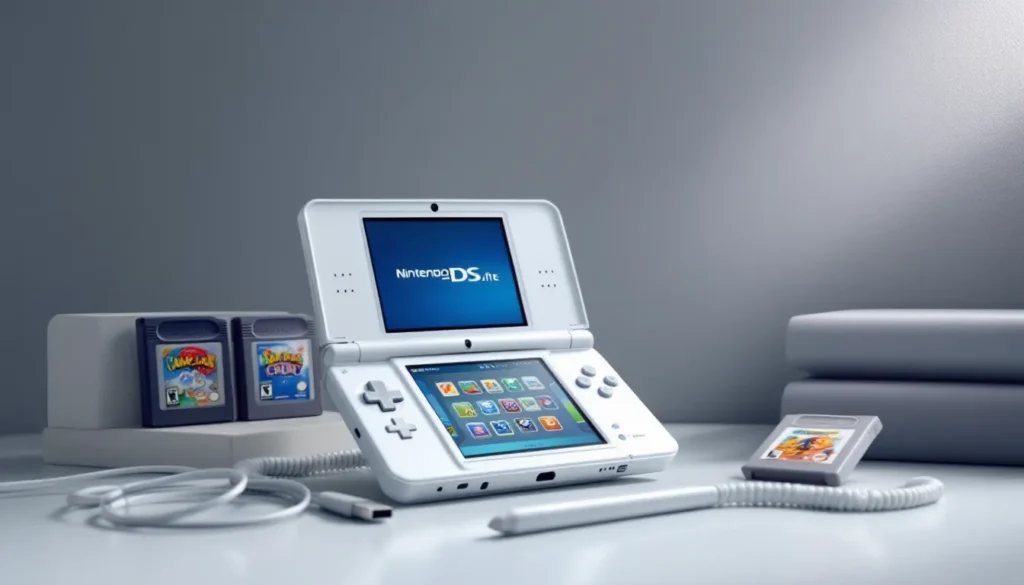
The DS Lite (USG-001) launched in June 2006 and remains the gold standard for used DS purchases. Nintendo refined everything: slimmer profile, brighter screens with four adjustable brightness levels, better hinge design, and a cleaner aesthetic. The clamshell design protects screens when closed, and the stylus slot moved to the side for easier access.
The DS Lite weighs 218 grams compared to the original’s 275 grams. Battery life improved to 15-19 hours on the lowest brightness setting, and the screens are noticeably sharper and more vibrant. It retained full GBA backward compatibility, making it the ultimate dual-purpose handheld for DS and GBA libraries.
Common issues include hinge cracks (especially around the right side), shoulder button wear, and yellowing on white models. The DS Lite was produced in massive quantities and came in dozens of colors and limited editions, so finding one isn’t hard. It’s the best balance of availability, performance, and price for most buyers in 2026.
Nintendo DSi and DSi XL
The DSi (TWL-001) launched in April 2009 as a mid-gen refresh that ditched GBA compatibility in favor of new features. It added dual cameras (0.3 megapixels, laughable by modern standards), an SD card slot for photo storage and DSiWare downloads, and slightly larger screens (3.25 inches vs. 3.0 inches on the Lite).
The DSi XL (UTL-001), released in March 2010, bumped screen size to 4.2 inches, making it the most comfortable option for extended play sessions. The larger screens reduce pixel density slightly, but the trade-off is worth it for anyone with eye strain or larger hands. The DSi XL also shipped with wider styluses and improved viewing angles.
Both DSi models support DSiWare downloads, but the eShop shut down in 2017, and accessing that content in 2026 requires homebrew workarounds. The loss of GBA compatibility is a dealbreaker for some, but the DSi family offers better build quality and more refined hardware than earlier models. Battery life on the DSi hovers around 9-14 hours, while the DSi XL manages 13-17 hours depending on brightness.
If you only care about DS games and want the best screens, the DSi XL is the move. If GBA compatibility matters, stick with the DS Lite.
Where to Buy a Used Nintendo DS
Online Marketplaces
eBay remains the deepest market for used DS units. Listings range from tested, fully functional systems to untested “as-is” lots sold for parts. eBay’s buyer protection is solid if you stick to sellers with high ratings and detailed photos. Search for specific model numbers (USG-001 for DS Lite, TWL-001 for DSi) and filter by “Used” or “Refurbished.” Auctions can net deals, but Buy It Now listings with clear condition descriptions save headaches.
Facebook Marketplace and Craigslist offer local pickup options, which let you test the system before handing over cash. This is the best way to avoid surprises, boot it up, check both screens, test the shoulder buttons, and verify the cartridge slot reads games. Prices tend to be lower than eBay since sellers skip shipping and fees, but availability varies by region.
Mercari and OfferUp split the difference between eBay’s structure and local marketplaces’ pricing. Both platforms have mobile-first interfaces and allow negotiations. Mercari’s rating system is useful, but always ask for additional photos of screens powered on and any cosmetic damage.
Amazon lists used DS units through third-party sellers, but prices often run higher than eBay or local options. The advantage is fast shipping and Amazon’s A-to-Z Guarantee if something goes wrong. Just be cautious of vague condition descriptions like “Acceptable” without photos.
Retro Gaming Stores and Local Shops
Brick-and-mortar retro gaming stores like GameStop (which still carries used DS stock in some locations), local game shops, and chains like The Exchange or Vintage Stock test and clean their inventory. You’ll pay a premium compared to private sellers, but you’re buying peace of mind. Most stores offer 30-day return windows and some level of warranty.
Retro conventions and swap meets are goldmines if you’re patient. Vendors bring bulk inventory, and haggling is expected. Cash payments sometimes unlock better deals, and you can inspect hardware on the spot. Just bring a DS cartridge to test functionality before buying.
Pawn shops occasionally stock DS units, but condition is a gamble. Employees rarely test gaming hardware thoroughly, so treat anything from a pawn shop as “as-is” unless you can verify it yourself before purchasing.
What to Look for When Buying Used
Physical Condition and Screen Quality
Screen health is the single most critical factor. Dead pixels, vertical lines, and discoloration can’t be fixed without replacing the screens, a repair that costs more than buying another used unit. Ask sellers for photos of both screens powered on, displaying a white or light-colored image to reveal dead pixels. Yellowing is common on older units, especially the original DS and white DS Lites, and can’t be reversed without screen replacement.
Check the hinges carefully. DS Lite hinges crack near the right side due to stress over time. Hairline cracks don’t always affect functionality immediately, but they worsen with use. The DSi and DSi XL improved hinge durability, but cracks still occur. If buying in person, open and close the system multiple times and listen for unusual creaking or looseness.
Shell condition matters less for functionality but affects resale value. Scratches, scuffs, and worn paint are cosmetic, but deep cracks or missing battery covers can expose internals to dust and damage. Limited edition or rare color variants command higher prices even with wear, so factor that into your offer.
The stylus slot should hold the stylus snugly. Loose slots are annoying but not critical. Missing styluses are common, replacements are cheap on Amazon or eBay, just make sure you buy the correct length for your model.
Functionality Testing
If you’re buying in person, bring a DS cartridge and GBA cartridge (for Lite models) to test both slots. Boot a game and verify:
- Both screens display correctly with no flickering or lines
- Touch screen responds accurately across the entire surface (use the calibration tool in system settings)
- Shoulder buttons (L/R) click and register inputs (these are the most common failure point due to wear)
- D-pad and face buttons respond without sticking
- Audio plays through both speakers and the headphone jack
- Wi-Fi connects (less critical since online multiplayer shut down for most DS games, but useful for homebrew)
- Cartridge slot reads and ejects games smoothly
For online purchases, ask sellers to provide a video showing the system powered on and navigating menus. Reputable sellers won’t hesitate, and anyone who refuses is hiding something.
Battery life degrades over time. Original batteries from 2006-2010 are likely diminished or dead. A DS Lite that originally lasted 15 hours might now manage 6-8 hours. Replacement batteries are cheap ($10-15) and easy to install, so don’t let a weak battery kill an otherwise good deal, just factor the cost into your offer.
Authenticity and Region Locking
DS games are region-free, meaning a North American DS plays Japanese, European, and Australian cartridges without issue. DSiWare is region-locked, but since the eShop is defunct, this rarely matters in 2026.
Counterfeit DS cartridges are rampant, especially for high-value titles like Pokémon. When evaluating a used DS bundle with games, check cart authenticity: Nintendo’s logo should be cleanly printed, the plastic should feel solid (not flimsy), and the label should have a reflective quality under light. Reproductions are fine if priced accordingly, but don’t pay collector prices for fakes.
Some sellers bundle systems with R4 flashcarts or other homebrew tools. These aren’t inherently bad, they extend functionality, but be aware of what you’re buying and whether it affects the system’s value or legality in your region.
How Much Should You Pay for a Used Nintendo DS?
Prices fluctuate based on model, condition, and accessories included, but here’s the 2026 baseline from recent marketplace data:
Nintendo DS (Original)
- Loose system (no box): $30-$50
- Complete in box (CIB): $60-$90
- Limited editions or rare colors: $80-$120
Nintendo DS Lite
- Loose system: $50-$80
- With charger and stylus: $60-$90
- CIB: $90-$130
- Limited editions (Zelda, Mario, etc.): $120-$200+
Nintendo DSi
- Loose system: $60-$90
- With charger and stylus: $70-$100
- CIB: $100-$140
Nintendo DSi XL
- Loose system: $80-$120
- With charger and stylus: $90-$130
- CIB: $130-$180
- Limited editions: $150-$250+
These are average asking prices. Negotiation room exists, especially on local marketplaces or with bulk purchases. A system missing the charger should sell for $10-15 less since replacement chargers run $8-12. Missing styluses drop value by $3-5.
Bundles with games add variable value depending on titles. A DS Lite with five shovelware games isn’t worth much more than the console alone. Add Pokémon Platinum or Radiant Historia and you’re looking at an extra $40-80+ depending on cart condition.
Avoid overpaying for “tested and cleaned” systems at retro game stores unless you’re getting a warranty. Their markups often run 30-50% over private seller prices, which is only justified if you value the convenience and return policy.
For comparison, the used Nintendo Switch pricing typically starts around $200-$250 in 2026, making the DS family significantly more budget-friendly for retro-focused gamers.
Best Games to Play on Your Used Nintendo DS
The DS library is massive, but here are the essential picks that justify the purchase:
RPGs and JRPGs
- Pokémon HeartGold/SoulSilver: The definitive Pokémon remakes with the Pokéwalker accessory (though finding one with the device intact is rare and expensive).
- Chrono Trigger DS: The best version of the SNES classic with added content and touch controls.
- Dragon Quest IX: A 100+ hour action RPG that’s exclusive to DS.
- The World Ends With You: Unique combat system built entirely around the touch screen and dual-screen mechanics.
- Radiant Historia: Underrated time-travel RPG with branching timelines and tactical combat.
Action and Adventure
- The Legend of Zelda: Phantom Hourglass and Spirit Tracks: Divisive among Zelda fans due to touch-only controls, but mechanically impressive.
- Castlevania: Dawn of Sorrow, Portrait of Ruin, and Order of Ecclesia: Three excellent Metroidvanias that rival the GBA trilogy.
- Metroid Prime Hunters: Competitive FPS multiplayer that’s still impressive on DS hardware.
Puzzle and Rhythm Games
- Professor Layton series: All six games are worth playing for puzzle fans.
- Picross DS and Picross 3D: Addictive logic puzzles perfect for handheld sessions.
- Elite Beat Agents: Rhythm game with absurd scenarios and a killer soundtrack.
- Rhythm Heaven: Quirky rhythm mini-games that get brutally difficult.
Strategy and Simulation
- Advance Wars: Dual Strike and Days of Ruin: Turn-based tactical perfection.
- Fire Emblem: Shadow Dragon: The series’ return to the West after years of absence.
- Nintendogs: Still charming if you’re into pet sims, and it demonstrates the DS’s tech capabilities.
GBA Backward Compatibility Picks (DS Lite only)
- Pokémon Emerald, FireRed, and LeafGreen
- The Legend of Zelda: The Minish Cap
- Metroid Fusion and Metroid Zero Mission
- Golden Sun and Golden Sun: The Lost Age
Many of these titles hold their value. According to Nintendo Life, physical DS game prices have stabilized or increased since 2020, especially for first-party Nintendo releases and niche JRPGs. Factor cart costs into your DS purchase budget.
Essential Accessories for Your Used DS
Most used DS units don’t ship with every original accessory. Here’s what you’ll want to track down:
Charger
The DS and DS Lite use the same USG-002 charger. The DSi and DSi XL share a different charger, the WAP-002. Third-party replacements are plentiful and cheap ($8-12 on Amazon), but quality varies. Stick with brands like Tomee or Insten if you’re going aftermarket.
Stylus
Replacement styluses are model-specific. DS Lite styluses are shorter than DSi styluses, and the DSi XL uses an even longer one. Amazon sells multipacks for $5-10. Metal styluses are available but can scratch screens over time, stick with plastic.
Screen Protectors
The bottom touch screen is the most vulnerable component. Applying a screen protector isn’t essential if you use the stylus gently, but it’s cheap insurance. Look for DS-specific protectors on Amazon or eBay, generic ones won’t fit the dual-screen layout properly.
Carrying Case
Hard-shell cases protect the system during travel. Nintendo’s official cases are rare and overpriced in 2026, but third-party options from Tomee or AmazonBasics run $10-15 and offer enough padding for the system plus a few cartridges.
Replacement Battery
Original batteries are 15+ years old and likely degraded. Replacement batteries for DS Lite (850mAh) cost $10-15 and install in under five minutes with a small Phillips screwdriver. DSi and DSi XL batteries are slightly more expensive ($15-20) but just as easy to swap.
R4 Flashcart (Optional)
R4 and similar flashcarts let you load homebrew, game backups, and emulators onto a microSD card. They’re controversial and exist in a legal gray area, but they’re a common part of the DS modding scene in 2026. Prices range from $15-30 depending on compatibility and firmware. Just be aware that Digital Trends and other outlets have noted Nintendo’s continued crackdown on flashcart sellers.
GBA Cartridge Dust Cover
If you’re using a DS or DS Lite, the bottom GBA slot collects dust when empty. Nintendo included a plastic dust cover with original systems, but they’re often lost. Third-party replacements are cheap but unnecessary unless you’re particular about keeping the slot clean.
Common Issues with Used Nintendo DS Systems and How to Fix Them
Cracked Hinge
The DS Lite’s right hinge is notorious for stress cracks. If the crack is minor and the system still functions, you can reinforce it with a small amount of super glue applied carefully. For full replacements, aftermarket shells are available for $15-25, but swapping shells requires disassembling the entire system, not for beginners.
Worn Shoulder Buttons
L and R buttons fail due to worn carbon contacts inside the shoulder button housing. The fix involves opening the system, removing the shoulder button assembly, and cleaning the contacts with isopropyl alcohol. Replacement shoulder button assemblies cost $5-10 on eBay. This repair is moderately difficult and requires a tri-wing screwdriver.
Dead or Weak Battery
Batteries degrade over time. If your DS dies within an hour or two, the battery is shot. Replacement is straightforward: remove the back cover, unscrew the old battery, and clip in the new one. No soldering required. Replacement batteries are $10-15 and take five minutes to install.
Yellowed Screens or Shell
Yellowing is caused by UV exposure and bromine in the plastic. It’s purely cosmetic but irreversible without screen or shell replacement. Retrobright treatments can reduce shell yellowing with hydrogen peroxide and UV light, but the process is time-consuming and results vary.
Touch Screen Calibration Drift
If the touch screen registers inputs in the wrong location, recalibrate it through the system settings. Boot into the system menu, navigate to settings, and select “Touch Screen Calibration.” If recalibration doesn’t fix it, the digitizer may be damaged and requires replacement ($15-25 for the part, plus labor if you’re not comfortable soldering).
Cartridge Slot Not Reading Games
Dirt and oxidation on the cartridge slot pins prevent proper contact. Use a cotton swab dipped in isopropyl alcohol to clean the pins gently. Blow compressed air into the slot to remove dust. If cleaning doesn’t work, the slot may need replacement, a repair that’s difficult and not cost-effective for most users.
Non-Functional Wi-Fi
DS Wi-Fi uses outdated WEP security, which most modern routers disable by default. Since DS online services shut down in 2014 (and most games’ multiplayer is defunct), this isn’t a critical issue. For local wireless play, the system should still function. If you’re interested in homebrew or accessing fan servers, you may need to configure your router for WEP temporarily.
Most repairs are documented extensively on YouTube and iFixit. For those interested in broader gaming hardware troubleshooting, TechRadar frequently publishes guides on repairing retro systems and understanding common hardware failures.
Caring for Your Used Nintendo DS
Storage
Keep your DS in a hard-shell case when not in use. Avoid leaving it in hot cars, direct sunlight, or humid environments. Heat warps plastic shells and accelerates screen yellowing. Humidity can corrode internal components over time.
Cleaning
Wipe down the shell with a microfiber cloth slightly dampened with water. Avoid harsh chemicals like Windex or bleach, they damage plastic and remove finish coatings. For stubborn grime, use a small amount of isopropyl alcohol on a cotton swab around buttons and hinges.
Clean the touch screen with a microfiber cloth or screen-safe wipes. Don’t use paper towels, which can scratch the surface. If you use a screen protector, replace it when it gets too scratched, protectors are cheaper than digitizer replacements.
Cartridge Care
Store DS and GBA cartridges in their original cases or third-party storage solutions. Avoid leaving carts inserted in the system when not in use, constant pressure on the slot can cause wear. Clean cartridge contacts with isopropyl alcohol and a cotton swab if you encounter read errors.
Battery Maintenance
Lithium-ion batteries degrade fastest when stored fully drained or at 100% charge. For long-term storage, charge the battery to around 50-70% and power off the system. If you’re not using your DS for months, charge it briefly every few months to prevent deep discharge, which can kill the battery permanently.
Hinge Stress
Open and close the DS gently. Don’t force it past its natural stopping point, and avoid flipping it open quickly. The DS Lite’s hinges are fragile, and even slight abuse accelerates cracking.
Conclusion
Buying a used Nintendo DS in 2026 is less about chasing a retro fad and more about accessing a library that modern platforms don’t replicate. The dual screens, resistive touch, and GBA backward compatibility created a unique ecosystem that still delivers today, if you know what to look for.
The DS Lite remains the best all-around option for most buyers: reliable, affordable, and compatible with both DS and GBA games. The DSi XL suits anyone prioritizing screen size and comfort over backward compatibility. The original DS is a collector’s curiosity at best, and the standard DSi splits the difference without excelling at either niche.
Test everything before you buy if possible. Verify screen quality, shoulder buttons, and hinge integrity. Don’t overpay for nostalgia, fair market prices exist if you’re patient and willing to shop around. With the right unit in hand and a backlog of classics waiting, a used DS offers hundreds of hours of gameplay that holds up better than you’d expect nearly 20 years after launch.