Miis have been Nintendo’s signature digital avatars since 2006, appearing across dozens of games and system interfaces. Whether you’re setting up a new Switch or rediscovering your 3DS, understanding how to create, customize, and use these charming characters unlocks a more personalized gaming experience. Even though their simplicity, Miis remain surprisingly versatile, from representing you in online leaderboards to starring in full-fledged party games. This guide covers everything you need to know about making and managing Miis in 2026, including creation steps for current hardware, advanced customization tricks, and which games still make the best use of these avatars.
Key Takeaways
- Nintendo Mii avatars have been central to personalized gaming experiences since 2006, remaining compatible across Switch, 3DS, and Wii U through account syncing.
- Creating a Nintendo Mii on Switch involves accessing System Settings > Mii and choosing between manual customization or auto-generation from photos, with options to customize face shape, hair, eyes, accessories, and body type.
- Advanced Mii design focuses on proportions and distinctive features rather than photorealism—eye spacing, eyebrow angles, and asymmetry make characters more recognizable and memorable.
- While Nintendo Mii support has declined since the Wii era, games like Nintendo Switch Sports, Mario Kart 8 Deluxe, and Miitopia still actively feature Miis as playable characters or cosmetic options.
- 3DS Miis can be shared via QR codes and transferred to Switch using the same Nintendo Account, though Switch lacks native QR support for importing pre-made character designs.
- Mii management across devices requires consistent account sync settings and regular internet connectivity to prevent losing your avatar collection during hardware upgrades or system resets.
What Is a Nintendo Mii?
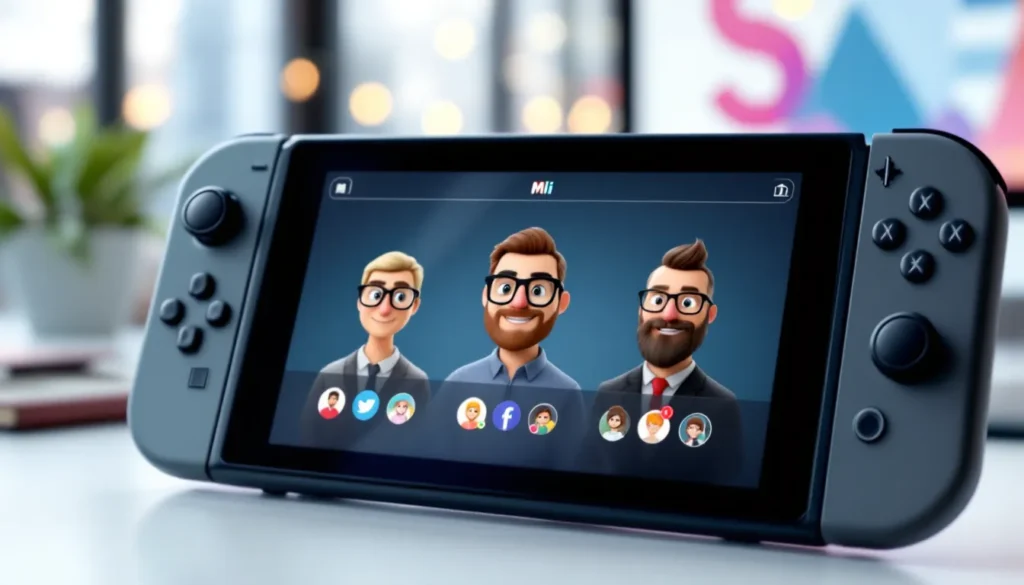
A Mii is a customizable digital avatar created and used across Nintendo platforms. Originally introduced with the Wii console in 2006, Miis serve as user representations in games, system menus, and online profiles.
Each Mii consists of a simplified character model with adjustable facial features, hair, accessories, and body type. Players can customize eye shape, nose size, mouth style, skin tone, and dozens of other attributes to create unique characters. The design philosophy emphasizes approachability over realism, Miis use a cartoonish art style that translates well across different game genres.
Miis function in several ways. They represent players in online leaderboards and friend lists, act as playable characters in compatible games, and appear in system notifications and settings menus. Some games like Tomodachi Life and Miitopia build entire gameplay systems around Mii characters, while others like Mario Kart 8 Deluxe include them as optional racers alongside established Nintendo characters.
The system stores Miis locally on your console but also syncs them to your Nintendo Account. This means your primary Mii can follow you across devices when you sign in, maintaining consistency whether you’re playing on Switch, using the Nintendo Switch Online app, or accessing web services.
The History and Evolution of Mii Characters
Nintendo first experimented with user-generated avatars during the GameCube era with titles like Nintendo Puzzle Collection, but the Mii system as we know it launched with the Wii. The original Mii Channel on Wii offered around 80 customization options and could create characters from photos using facial recognition, a genuinely novel feature in 2006.
The 3DS expanded Mii functionality significantly. Mii Maker on 3DS increased customization depth and introduced QR Codes for sharing Miis between users. This feature became popular for distributing celebrity lookalikes and game characters. The 3DS also introduced StreetPass Mii Plaza, turning Miis into collectible elements that players would encounter when passing other 3DS owners in public.
Wii U continued the trend with Mii Maker integrated into the system menu, but usage began declining as Nintendo shifted focus toward established IP. Many Wii U titles that could have featured Miis opted for series-specific characters instead.
From Wii to Switch: How Miis Have Changed
The Switch represents both continuity and reduction for Miis. The console includes a streamlined Mii creation tool accessible through System Settings, but it’s noticeably less prominent than on previous platforms. There’s no dedicated Mii Channel or app, creation happens in a nested menu rather than a featured interface.
Customization options on Switch actually decreased compared to 3DS. The Switch Mii creator removed some granular adjustments and simplified the interface for touchscreen and controller input. QR Code importing is absent on Switch, though players can transfer Miis from 3DS or Wii U using the same Nintendo Account.
Graphically, Switch Miis support higher resolutions and more detailed shading when used in games, but the core art style remains consistent with earlier generations. Modern titles sometimes render Miis with improved lighting and textures while maintaining backward compatibility with the basic model structure.
Even though reduced prominence, Miis haven’t disappeared. Games like Nintendo Switch Sports (2022) and Miitopia (Switch port, 2021) demonstrate continued support. But, many first-party titles now skip Mii integration entirely, reflecting a shift in Nintendo’s avatar strategy toward game-specific customization systems.
How to Create Your First Mii
Creating a Mii varies slightly depending on your platform. Both Switch and 3DS support Mii creation, though the interfaces differ significantly.
Creating a Mii on Nintendo Switch
The Switch hides Mii creation inside System Settings rather than featuring it prominently:
- From the HOME Menu, select System Settings (the gear icon at the bottom)
- Scroll down the left menu to Mii and select it
- Choose Create/Edit a Mii
- Select Create New Mii to start from scratch
The creation screen offers two paths: Create Mii (manual customization) or Look-Alike (generates a Mii from a photo). Most players choose manual creation for better control.
Work through each category in order:
- Face shape and skin tone: Pick from oval, round, square, and triangular face templates
- Hair: Choose style, color, and flip direction
- Eyebrows: Adjust shape, color, size, rotation, and vertical/horizontal position
- Eyes: Select type, color, size, rotation, and spacing
- Nose: Pick size and vertical position
- Mouth: Choose style, color, size, and vertical position
- Facial hair: Add mustache or beard (optional)
- Glasses and accessories: Select eyewear or beauty marks
- Body: Set height and build
After finishing, name your Mii and set it as your Favorite Mii if you want it to represent your user profile. The Switch allows up to 100 Miis stored locally.
Creating a Mii on Nintendo 3DS
The 3DS offers deeper customization through its dedicated Mii Maker application:
- From the HOME Menu, tap the Mii Maker icon (yellow face icon)
- Select Create New Mii
- Choose between starting from scratch or using a photo
The 3DS interface provides more granular control than Switch. Players can adjust feature positions pixel-by-pixel using the touchscreen, and the category list includes additional options like makeup and more varied accessories.
One advantage of 3DS Mii creation: QR Code support. After creating a Mii, you can generate a QR Code and share it with other 3DS owners. Similarly, you can scan QR Codes from online databases to import pre-made celebrity or character Miis. Resources like Nintendo Life occasionally share curated QR Code collections for popular characters.
The 3DS supports transferring Miis to Switch via Nintendo Account sync, though you’ll need to link both devices to the same account first.
Advanced Mii Customization Options
Basic creation gets you functional Miis, but advanced techniques unlock better likenesses and more distinctive designs.
Facial Features and Body Types
Proportions matter more than individual features. When recreating real people or characters, focus on the relationship between elements rather than trying to perfectly match each part.
Key proportion tips:
- Eye spacing: Wider spacing reads as younger or more innocent: closer spacing appears more mature
- Eye height: Positioning eyes lower on the face creates a larger forehead, useful for intellectual or serious characters
- Nose-to-mouth distance: Shorter distance makes characters look younger: greater distance adds age
- Eyebrow angle: Angled down toward the center creates intensity or anger: upward angles suggest friendliness
Rotation and offset settings provide nuance. Both Switch and 3DS allow rotating features like eyes, eyebrows, and mouths. Slight asymmetry, one eyebrow slightly higher, eyes at marginally different heights, adds character and makes Miis look less generic.
Body type affects how Miis appear in games. Taller, thinner Miis may have advantages in certain Wii Sports events, while shorter, heavier builds change character proportions in games like Miitopia. This isn’t just cosmetic, some titles apply minor stat variations based on Mii build.
Colors, Accessories, and Personal Touches
Color choices extend beyond default palettes with some clever techniques. While you can’t input custom hex codes, combining hair color with accessory colors creates visual themes. Matching glasses frames to hair color or contrasting them deliberately helps your Mii pop in crowded online lobbies.
Accessories serve multiple functions:
- Glasses define character archetypes (thin frames = intellectual, thick frames = retro/hipster, sunglasses = cool/mysterious)
- Facial hair adds age and gravitas, essential for older characters or specific celebrity recreations
- Beauty marks and makeup (on 3DS) provide finishing touches for detailed likenesses
One underused trick: purposeful minimalism. While it’s tempting to max out every option, simpler Miis often read better in-game. A character with just carefully positioned eyes, a small mouth, and no accessories can be more distinctive than an over-decorated face.
Using QR Codes to Share and Import Miis
QR Code functionality exists on 3DS and Wii U but not natively on Switch. This creates a disconnect for players who want to share their creations or download popular character recreations.
On 3DS:
- Open Mii Maker and select the Mii you want to share
- Choose QR Code/Image Options
- Select Save as QR Code to generate a scannable image
- Use the 3DS camera to scan other users’ QR Codes and instantly import their Miis
Numerous online communities maintain Mii QR Code libraries. Platforms like Siliconera occasionally feature curated collections when relevant games release. These databases include celebrities, anime characters, game protagonists, and historical figures.
Switch workaround: While Switch lacks QR support, you can transfer 3DS Miis using a Nintendo Account. Create or import the Mii on 3DS, ensure both devices use the same Nintendo Account, then sync via the account settings. The Mii appears on Switch shortly after.
Games That Use Mii Characters
Mii integration varies wildly across Nintendo’s library. Some games make Miis central to gameplay, while others include them as cosmetic options.
Classic Mii-Focused Games
These titles built their entire identity around Mii characters:
- Wii Sports / Wii Sports Resort: The original Mii showcase. Your avatar competed in tennis, bowling, golf, and other events. Skill ratings attached to your Mii, creating personal progression. Wii Sports Resort expanded this with 12 activities and better motion controls.
- Tomodachi Life (3DS): A life simulation where Miis develop personalities, form relationships, and live in an apartment complex. Watching your Miis interact generated emergent comedy. No Switch sequel exists as of 2026.
- Miitopia (3DS, Switch): An RPG where Miis fill every role, hero, villain, party members, NPCs. The Switch version (2021) added makeup options and wig customization, significantly expanding Mii expressiveness for the genre.
- Wii Party / Wii Party U: Mario Party-style board games centered on Miis rather than Nintendo characters. Featured 80+ minigames designed around Mii avatars.
Modern Games With Mii Integration
Recent titles show declining but persistent Mii support:
- Nintendo Switch Sports (2022): The spiritual successor to Wii Sports. Supports Miis as playable characters in volleyball, badminton, bowling, soccer, chambara, and tennis. But, the game also introduced Sportsmates, customizable avatars with more detailed body and outfit options that compete with traditional Miis.
- Mario Kart 8 Deluxe: Miis are selectable racers with medium weight class stats. They don’t affect meta gameplay but allow personalization in online lobbies. Your Mii appears with your chosen outfit and accessories when racing.
- Super Smash Bros. Ultimate: Miis appear as three fighter types, Brawler, Swordfighter, and Gunner. Each has unique special move options you can customize, creating hundreds of potential movesets. Mii fighters are tournament-legal with standardized movesets.
- Super Mario Maker 2: Miis appear in Coursebot mode and can be used as costumes in the original Super Mario Maker (Wii U/3DS) but have limited presence in the sequel.
Japanese audiences saw additional Mii-centric releases that didn’t always reach Western markets, according to coverage on platforms like Gematsu. This regional difference partly explains why Mii support feels inconsistent across Nintendo’s global library.
Managing and Editing Your Mii Collection
Over time, most players accumulate dozens of Miis. Effective management keeps your collection useful rather than cluttered.
On Switch, access your Mii list through System Settings > Mii > Create/Edit a Mii. From here you can:
- Edit existing Miis: Select any Mii and modify features, name, or settings
- Copy Miis: Duplicate a Mii to create variations without starting from scratch
- Delete Miis: Remove unused avatars (you can’t delete your Favorite Mii without designating a new favorite first)
- Change Favorite Mii: Your Favorite Mii represents your user profile system-wide
Naming conventions help with organization. If you’re creating celebrity or character lookalikes, use clear names. For family Miis, consider adding descriptors like “Dad – Golf” or “Sarah – Tall” to remember which version serves which purpose.
Miis sync across devices via your Nintendo Account. When you create a Mii on Switch, it doesn’t automatically appear on your 3DS or Wii U unless you’ve enabled sync settings. To verify sync status:
- Check your Nintendo Account settings on the device
- Ensure Mii settings allow cloud sync
- Sign in with the same account on both devices
The sync process isn’t instant, expect a few minutes for changes to propagate.
Backup considerations: Since Miis are stored locally on your console, losing or replacing hardware can mean losing your collection. If you’re upgrading to a new Switch, use the Transfer Your User Data feature found in System Settings. This moves your entire user profile, including all Miis, to the new console.
For 3DS users, backing up via the system transfer process or maintaining QR Codes of important Miis provides insurance against data loss. There’s no cloud save for 3DS Miis independent of a full system transfer.
Creative Ideas and Tips for Mii Designs
Moving beyond basic self-portraits opens up creative possibilities for your Mii collection.
Recreating Celebrities and Characters
Character recreation requires identifying defining features rather than attempting photorealism. Focus on what makes a face immediately recognizable.
Technique for celebrity Miis:
- Identify the signature feature: Is it the eyebrows (Emilia Clarke), nose (Owen Wilson), or mouth shape (Julia Roberts)?
- Exaggerate slightly: Mii features are simplified, so enhancing the distinctive element improves recognition
- Use accessories strategically: Glasses, facial hair, and hairstyles often matter more than facial proportions
- Test in-game: How your Mii looks in the creator versus in actual games can differ significantly
Popular recreation categories:
- Game characters: Mario, Link, and Samus work surprisingly well as Miis even though being stylized differently
- Anime/manga characters: The simplified Mii art style aligns well with anime aesthetics
- Historical figures: Adding beards and period-appropriate hair creates recognizable historical avatars
- Meme characters: Shrek, Shaggy, and similar internet culture figures became popular Mii recreations
Nintendo’s company history includes some surprising origins that influenced the playful, creative spirit behind Miis, interesting facts about Nintendo reveal how the company’s toy-making roots shaped their approach to user-generated content.
Making Your Mii Stand Out Online
In online multiplayer, your Mii represents you to strangers. Standing out in lobbies requires deliberate design choices.
Visibility tactics:
- High contrast colors: Bright hair colors (yellow, cyan, pink) against darker or lighter skin tones read clearly even in small profile icons
- Distinctive silhouettes: Extreme height and build combinations create memorable profiles
- Unexpected combinations: Formal glasses with wild hair, or serious expression with bright colors, creates cognitive dissonance that’s memorable
- Minimalist approach: In a sea of overly detailed Miis, a simple, clean design can be more distinctive
Context matters. A Mii that works well for Mario Kart 8 Deluxe online races might not suit Super Smash Bros. Ultimate competitive play. Consider creating multiple Miis optimized for different games or moods.
Avoid generic defaults, the most common mistake is using the randomized Miis or barely modified templates. Even small adjustments to default options significantly improve uniqueness.
Troubleshooting Common Mii Issues
Several recurring problems affect Mii users across platforms.
Problem: Mii doesn’t appear in a game that supposedly supports Miis
Some games require you to explicitly enable Mii usage in their settings. Check the game’s options menu for an avatar or profile section. Also, ensure you’ve set a Favorite Mii in System Settings, some games only recognize your designated favorite.
Problem: Mii transferred from 3DS looks different on Switch
The Switch’s rendering engine displays Miis with slightly different proportions and shading. Features that looked balanced on 3DS may appear wider or narrower on Switch. This is a display difference, not corruption. You can edit the Mii on Switch to adjust for the new rendering.
Problem: Can’t transfer Miis between consoles
Verify both consoles use the same Nintendo Account and have internet connectivity. The sync isn’t manual, it happens automatically when you create or modify Miis while signed in. If sync fails, try creating a test Mii on one device and waiting 10-15 minutes to see if it appears on the other. Persistent issues may require re-linking your Nintendo Account.
Problem: Mii has inappropriate or offensive design that can’t be reported
While you encounter other players’ Miis in online games, Nintendo’s moderation for Mii designs is limited. You can’t report a Mii directly, but you can block the user in your console’s friend/block settings, which prevents seeing their Mii in future matches in most games.
Problem: Lost all Miis after system update or reset
Miis are part of your user profile data. If you performed a factory reset without backing up save data, Miis are unrecoverable unless you’d previously synced them via Nintendo Account. For future protection, ensure your console connects to the internet while signed into your Nintendo Account periodically to maintain cloud sync.
Problem: Mii creation feels limited compared to other games’ character creators
This is by design. Miis prioritize cross-game compatibility and simple art style over deep customization. Games like Miitopia (Switch version) and Nintendo Switch Sports add game-specific customization layers (makeup, wigs, outfits) that expand options within those titles while maintaining core Mii compatibility.
Conclusion
Miis remain a distinctive part of Nintendo’s ecosystem even as their prominence has declined from the Wii era peak. The simplified creation tools and cross-game compatibility still offer value for players who want personalized avatars without complex character creators. Whether you’re building a family of Miis for Nintendo Switch Sports or crafting the perfect adventuring party for Miitopia, the core system provides enough depth for creative expression while staying accessible.
As Nintendo continues supporting Switch through 2026 and beyond, Mii integration varies by title. They’re no longer the default avatar solution they once were, but for games that embrace them, Miis deliver a uniquely Nintendo form of personalization. The system’s longevity, spanning two decades and multiple hardware generations, demonstrates that sometimes simple, flexible tools outlast more complex alternatives.