When Nintendo announced they were selling cardboard for the Switch back in 2018, the internet didn’t know whether to laugh or applaud. Fast forward to 2026, and Nintendo Labo remains one of the most unique experiments in gaming history, a bizarre fusion of DIY construction, motion controls, and actual gameplay that turned sheets of cardboard into RC cars, fishing rods, pianos, and even a working VR headset.
If you missed the Labo wave or you’ve stumbled across a kit at a garage sale, you’re probably wondering what the hell this thing actually is and whether it’s worth your time. This guide breaks down everything: what Labo does, how it works, which kits deliver the best experiences, and whether cardboard gaming still holds up in 2026. No fluff, just the straight story on Nintendo’s weirdest hardware experiment.
Key Takeaways
- Nintendo Labo transforms cardboard sheets into interactive controllers by leveraging the Switch’s Joy-Con sensors, motion controls, and IR camera technology for creative, hands-on gameplay.
- The Variety Kit offers the best all-around introduction to Nintendo Labo, featuring five Toy-Cons including a standout Fishing Rod and functional 13-key Piano that showcase the platform’s technical cleverness.
- Toy-Con Garage enables creative makers to program custom games and interactive projects using a visual node-based interface, supporting advanced projects from rhythm game controllers to real-world Rube Goldberg machines.
- Used Nintendo Labo kits in 2026 cost 40-60% less than launch prices ($20-60 depending on kit), making them solid value for curious buyers, families, and educators seeking STEM learning opportunities.
- The VR Kit provides an affordable entry point to virtual reality gaming, including Breath of the Wild and Super Mario Odyssey VR modes, though the low resolution and comfort limitations differ significantly from modern VR headsets.
- Proper storage in climate-controlled spaces away from humidity and sunlight preserves cardboard Toy-Cons, while minor damage can be repaired using clear tape, replacement stickers, and moisture-based restoration techniques.
What Is Nintendo Labo?
Nintendo Labo is a series of DIY construction kits that transform pre-cut cardboard sheets into interactive controllers (called Toy-Cons) for the Nintendo Switch. Each kit includes cardboard parts, reflective stickers, rubber bands, string, and other materials that you assemble following step-by-step instructions displayed on your Switch screen.
Once built, these Toy-Cons use the Switch’s Joy-Cons and their built-in IR camera, gyroscope, and HD Rumble to detect movement, button presses, and even reflective markers inside the cardboard structures. The result? A fishing rod that actually reels in virtual fish, a piano that plays music when you press cardboard keys, or a robot suit that lets you stomp through cities.
Labo launched exclusively for the Nintendo Switch in April 2018. Nintendo released five main kits between 2018 and 2019 before support quietly tapered off. As of 2026, all kits are discontinued from official production, but they’re still widely available through third-party retailers, used game stores, and online marketplaces.
How Nintendo Labo Works
The magic happens through the Joy-Con controllers embedded inside each Toy-Con. When you build a Labo creation, say, the RC Car, you’re constructing a housing that holds the right Joy-Con. The Joy-Con’s HD Rumble vibrates at different frequencies, and those vibrations literally make the cardboard car move across your floor.
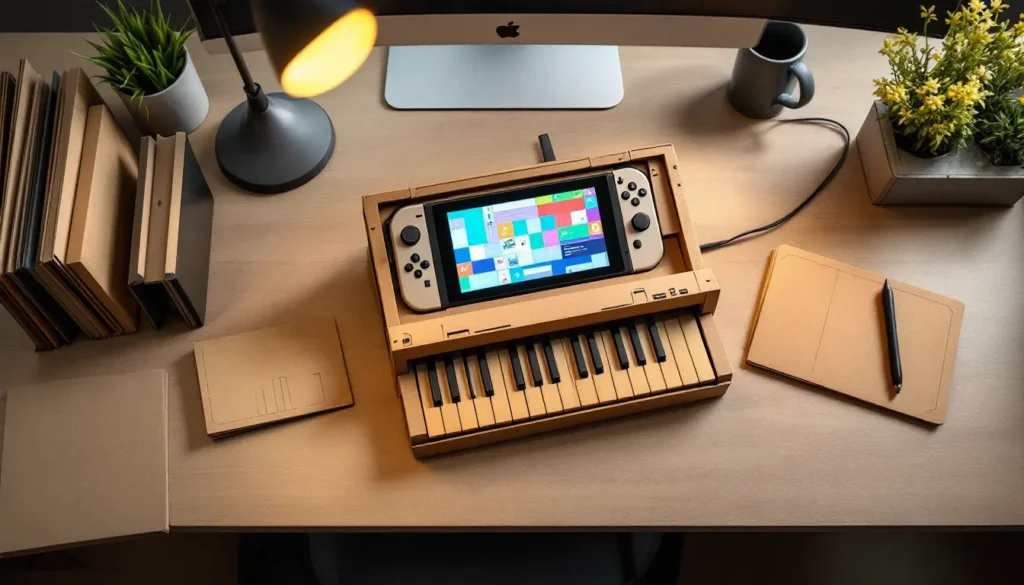
For more complex creations like the Piano Toy-Con, the right Joy-Con sits inside the body with its IR Motion Camera facing the keys. When you press a cardboard key, it pushes a piece of reflective tape into the camera’s view. The Switch detects which tape moved and plays the corresponding note. It’s brilliantly low-tech and high-concept at the same time.
The Fishing Rod uses the Joy-Con gyroscope to track your casting and reeling motions. The Motorbike handlebar grips detect tilting through the Joy-Cons’ accelerometers. Every Toy-Con is essentially a clever cardboard shell that houses or interacts with the Joy-Cons’ existing sensors in creative ways.
The Technology Behind the Cardboard
Nintendo didn’t invent new hardware for Labo, they weaponized what the Switch already had. The Joy-Cons pack an impressive sensor suite: a 6-axis gyroscope and accelerometer, HD Rumble (linear actuators that can create precise vibrations), an IR Motion Camera (right Joy-Con only), and NFC reader/writer functionality.
The cardboard itself is precisely die-cut corrugated material, designed to fold along scored lines without tearing. Reflective stickers act as markers for the IR camera. Rubber bands provide tension for moving parts. String creates pulley systems. It’s mechanical engineering meets game design, all for about $70 per kit at launch.
What’s genuinely impressive is how the software teaches assembly. The Labo software shows interactive 3D models you can rotate, zoom, and step through at your own pace. You can fast-forward, rewind, or pause at any point. It’s one of the best instruction manuals ever designed, which is ironic considering it’s for cardboard toys.
Complete Nintendo Labo Kits Breakdown
Nintendo released five main Labo kits, each with different Toy-Cons and gameplay experiences. Here’s what each one offers and which are worth hunting down in 2026.
Variety Kit: Your First Toy-Con Experience
The Variety Kit is the flagship Labo experience and the best starting point. It includes five Toy-Cons:
- RC Car: Two small cars controlled by Joy-Con vibrations. Great for 5-minute experiments, not much depth.
- Fishing Rod: The standout of the kit. You cast, reel, and catch different fish in a surprisingly chill gameplay loop.
- House: A dollhouse where you feed and interact with a weird creature by inserting blocks into the chimney. Creative but shallow.
- Motorbike: Racing game with handlebar controls. Decent arcade feel, limited track variety.
- Piano: 13 working keys, multiple instrument sounds, and even a built-in recording studio. The most impressive showcase of Labo’s tech.
The Variety Kit launched at $69.99 and typically runs $30-50 used in 2026. Build time ranges from 30 minutes (RC Car) to 3+ hours (Piano). If you’re buying one kit, this is it.
Robot Kit: Become a Mech Pilot
The Robot Kit contains a single Toy-Con: a wearable backpack with arm and leg straps that turns you into a giant robot in the game. Punch to smash buildings, crouch to transform into a car, stomp to crush tanks.
It’s physically demanding, you’re doing squats and punches for 10-15 minute sessions. The novelty is fantastic for the first hour, but the gameplay is extremely repetitive. There’s a versus mode and some challenge missions, but most players abandon it after a few sessions.
Build time is roughly 2-3 hours. The cardboard backpack is bulky and hard to store. Originally $79.99, you can find it for $20-40 used. Buy it if you want a workout or have kids who’ll get a kick out of being a robot. Skip it if you’re looking for deep gameplay.
Vehicle Kit: Land, Sea, and Sky Adventures
The Vehicle Kit includes three Toy-Cons: a Car, Plane, and Submarine. Each controls differently, steering wheel and pedal for the car, flight stick for the plane, and dual periscope controls for the sub. All three plug into the same gameplay experience: an open-world adventure where you complete missions, race, and explore.
This kit has the most replayable gameplay of any non-VR Labo offering. The world is huge, missions vary, and switching between vehicles keeps things fresh. Build time is about 3-4 hours total for all three.
Launched at $69.99, it’s now $25-45 used. Underrated and worth grabbing if you see it cheap. The only downside is that all three vehicles share the same Joy-Con dock, so you can’t have multiple people using different vehicles simultaneously without buying multiple kits.
VR Kit: Immersive Cardboard Virtual Reality
The VR Kit is Nintendo’s strangest and most ambitious Labo offering. The VR Goggles Toy-Con is a headset that holds the Switch tablet as the display, creating a low-res, budget VR experience. The kit includes six Toy-Cons total:
- VR Goggles (the headset)
- Blaster (light gun for shooting galleries)
- Camera (photography mini-games)
- Bird (flying game where you flap wings)
- Wind Pedal (creates gusts of air, literally a foot pedal)
- Elephant (uses the trunk for painting and marble games)
The VR Goggles also received compatibility updates for The Legend of Zelda: Breath of the Wild and Super Mario Odyssey, letting you play both games in VR. The effect is divisive, some love the immersion, others find the resolution (720p in VR, roughly 360p per eye) too blurry.
Labo VR doesn’t use head straps, so you hold the goggles to your face. Sessions longer than 20 minutes get uncomfortable. The bundled games are creative but shallow. At launch, the full kit was $79.99, the Starter Set (Goggles + Blaster) was $39.99. In 2026, expect $30-60 depending on completeness.
It’s worth it if you’re curious about VR or want to experience Breath of the Wild from a new angle. Just manage expectations, this isn’t Quest-level VR.
Building Your First Toy-Con: Tips and Tricks
Labo’s assembly process is half the experience. If you rush or skip steps, you’ll end up with a broken controller and a pile of regret. Here’s how to do it right.
Essential Assembly Tips for Beginners
Clear a large workspace. You need at least 3-4 feet of flat surface. Kitchen tables work great. Carpet is a nightmare because small pieces (rubber bands, eyelets) disappear instantly.
Follow the on-screen instructions exactly. The software is excellent, use the pause, zoom, and rotate features liberally. Don’t skim ahead. Every fold, every sticker placement matters.
Fold slowly and score the creases. Run your thumbnail along scored lines before folding. This prevents cardboard from buckling or tearing. The first fold sets the crease permanently, so get it right.
Organize your parts. Lay out cardboard sheets in the order you’ll use them. Keep rubber bands, stickers, and strings in a small bowl. Label sheets if your kit includes multiples of similar pieces.
Take breaks. The Piano takes 3+ hours. If you’re getting frustrated or tired, stop. Coming back fresh prevents mistakes and makes the build enjoyable instead of tedious.
Use a damp cloth for stubborn folds. If cardboard resists folding cleanly, lightly dampen the scored line with a damp (not wet) cloth and wait 30 seconds. It’ll fold easier without weakening the structure.
Common Mistakes to Avoid
Forcing pieces together. If something doesn’t fit smoothly, you missed a step or folded incorrectly. Back up in the instructions and check your work. Jamming pieces damages tabs and slots permanently.
Ignoring reflective sticker placement. The IR camera depends on precise sticker positioning. If your Piano keys don’t register or your Fishing Rod doesn’t detect reeling, misplaced stickers are usually the culprit. Double-check alignment before pressing them down.
Skipping the calibration step. After building, the software prompts you to calibrate each Toy-Con. Don’t skip this. Calibration ensures the sensors read inputs correctly. Without it, controls feel laggy or unresponsive.
Letting kids under 8 build solo. Nintendo rates Labo for ages 6+, but realistically, kids under 10 need adult help. The instructions are clear, but small parts and precise folds frustrate younger builders. Make it a co-op activity.
Disassembling Toy-Cons carelessly. If you need to take something apart (for storage or fixing errors), do it gently. Cardboard tabs weaken with repeated assembly/disassembly. Some builders reinforce stress points with clear tape after the first build.
Best Nintendo Labo Games and Experiences
Labo isn’t just about building, the bundled software and third-party support determine whether your cardboard sits on a shelf or sees regular use.
Built-In Software and Minigames
Each kit includes dedicated game software tailored to its Toy-Cons. Quality varies wildly:
Variety Kit has five separate game modes, one per Toy-Con. The Fishing Rod game is the most fleshed-out, with multiple fish species, rare catches, and aquarium management. The Piano includes a recording studio and rhythm mini-games. The RC Car is basically a 10-minute tech demo.
Robot Kit offers a single-player campaign, challenge missions, and local versus mode. The campaign is short (2-3 hours), and once you’ve smashed every building type, repetition sets in fast.
Vehicle Kit has the deepest gameplay: an open-world adventure with racing, exploration, missions, and unlockables. You can sink 10+ hours into it, which is rare for Labo. It’s legitimately fun and not just a gimmick showcase.
VR Kit includes 64 mini-games and experiences spread across the six Toy-Cons. Highlights include a Blaster shooting gallery with multiple stages, a Bird flying game with collectibles, and a surprisingly fun marble puzzle using the Elephant. Most activities are 5-10 minutes long, designed for quick VR sessions.
All kits also include Toy-Con Garage, a visual programming mode covered in the next section.
Compatible Third-Party Games
Nintendo added Labo support to a handful of first-party titles, but third-party developers largely ignored it. Here’s what actually works:
- The Legend of Zelda: Breath of the Wild: Full VR support via the VR Goggles. The entire game is playable in VR, though the low resolution makes distant objects hard to see. It’s a neat novelty for revisiting Hyrule.
- Super Mario Odyssey: Three kingdoms (Cap, Seaside, Luncheon) have VR-exclusive missions using the VR Goggles. Short but fun. The rest of the game isn’t VR-compatible.
- Mario Kart 8 Deluxe: Not officially compatible, even though early rumors. The Motorbike Toy-Con only works with Labo software.
- Super Smash Bros. Ultimate: Zero Labo integration, which is a missed opportunity for custom controllers.
That’s it. No major third-party games adopted Labo. The ecosystem stayed locked to Nintendo’s first-party experiments. Community projects exist (creative fan-made experiences have been documented), but they require homebrewing your Switch, which voids warranties and risks bans.
Creating Custom Games with Toy-Con Garage
Toy-Con Garage is Labo’s best-kept secret: a visual programming tool that lets you map inputs (Toy-Con movements, button presses) to outputs (screen visuals, sounds, rumble). It’s Nintendo’s version of Scratch or LittleBigPlanet’s creator mode, but for hardware hacking.
Programming Basics for Beginners
Garage uses a node-based interface. You select an Input node (like “Button A pressed” or “Fishing Rod reeled”), connect it to a Middle node (logic gates, counters, timers), and link that to an Output node (play a sound, make the screen flash, activate rumble).
A simple example: make the RC Car honk when you tilt the right Joy-Con.
- Add Input node: “Joy-Con tilted forward”
- Add Output node: “Play sound effect”
- Connect them with a line
- Test it
That’s the core loop. You can stack dozens of nodes to create complex behaviors. The interface is intuitive, but there’s no undo button (as of the last software update in 2019), so plan your node chains before connecting everything.
Garage also supports IR Camera input, meaning you can program custom reflective sticker patterns and build entirely new Toy-Cons. Creative players have made custom game controllers, musical instruments, and even light-based communication systems.
Advanced Toy-Con Garage Projects
The Labo community (small but dedicated in 2026) has created some wild projects:
Custom steering wheels: Using the Motorbike handlebars with Garage programming to control Mario Kart 8 Deluxe via button remapping. It’s hacky but functional.
DIY rhythm game controllers: Cardboard drum pads with reflective tape that trigger notes in custom-programmed rhythm games. Some players recreated simplified versions of Taiko no Tatsujin.
Multi-Toy-Con symphonies: Linking the Piano, Guitar (from the unreleased Labo Expansion set, some prototype cardboard leaked in 2020), and custom percussion into a full band setup.
Pet feeders and Rube Goldberg machines: This is where Garage gets weird. People programmed real-world cardboard chain reactions, Toy-Cons triggering other Toy-Cons to eventually dispense cat treats or turn on lights. It’s absurd and brilliant.
The learning curve is steep for advanced projects, but enthusiastic creators still share tutorials and templates online. If you enjoy tinkering, Garage offers hundreds of hours of experimentation.
Maintaining and Repairing Your Labo Creations
Cardboard doesn’t age like plastic. If you want your Toy-Cons to survive past a few sessions, you need to treat them carefully, but not so delicately that you can’t actually use them.
Storage Solutions to Prevent Damage
The biggest threat to Labo is crushing. Stacking other items on top of assembled Toy-Cons will flatten them overnight.
Dedicated shelf space: Keep Toy-Cons on open shelving where they won’t be bumped or stacked. The Piano and Robot backpack need significant clearance.
Original packaging: If you still have the kit box, it’s designed to store Toy-Cons after assembly (though you’ll need to partially disassemble some, like the Fishing Rod, to fit them back in).
Plastic bins with dividers: Large, clear storage bins (18-gallon minimum) work well. Use cardboard dividers to separate Toy-Cons and prevent them from pressing against each other.
Avoid humidity and direct sunlight: Cardboard warps in damp environments and fades in UV light. Basements and garages are terrible storage spots. Climate-controlled closets or spare rooms are ideal.
Pet-proof your setup: Cats and dogs see cardboard as a chew toy or scratching post. If you have pets, store Toy-Cons behind closed doors or on high shelves.
Fixing Torn or Damaged Cardboard
Eventually, something will tear, crease, or detach. Here’s how to patch it up:
Small tears: Use clear packing tape on the inside surface (the side that doesn’t show). Apply tape smoothly to avoid wrinkles, which can interfere with moving parts.
Detached tabs: If a tab rips out of its slot, reinforce both sides with tape, then reinsert. For critical structural tabs (like the Piano’s hinge points), add a small piece of cardstock behind the tear for extra strength before taping.
Crushed or bent sections: Lightly mist the damaged area with water from a spray bottle (3-4 sprays max). Press the cardboard flat under a heavy book and let it dry for 2-3 hours. It won’t look perfect, but it’ll regain some rigidity.
Worn reflective stickers: The IR camera stickers lose reflectivity over time. Nintendo sold replacement sticker sheets (now out of production), but you can use any reflective tape from hardware stores. Cut it to match the original sticker size and placement.
Complete reconstruction: If a Toy-Con is destroyed, you can buy replacement cardboard sheets from third-party sellers on eBay and Etsy. Prices range from $10-30 per sheet set. Official Nintendo replacements were discontinued in 2021.
Some players reinforce high-stress areas (like the Robot Kit’s arm straps) with fabric tape or thin craft foam on the inside. It adds durability without adding much weight or changing how the Toy-Con functions.
Is Nintendo Labo Worth It in 2026?
Labo is a discontinued novelty in a gaming landscape that’s moved on. But that doesn’t mean it’s worthless, it just means you need to know what you’re buying into.
Pricing and Value Analysis
Here’s what Labo kits cost in 2026 (used market averages):
- Variety Kit: $30-50
- Robot Kit: $20-40
- Vehicle Kit: $25-45
- VR Kit (full): $40-60
- VR Kit (Starter Set): $20-30
Compared to 2018 launch prices ($69.99-$79.99), you’re getting 40-60% discounts. That’s solid value if you’re curious, especially since the cardboard holds up decently if previous owners stored it well.
The catch? No new content is coming. The last software update was in 2019. Nintendo’s official support (replacement parts, customer service) ended in 2021. You’re buying into a closed ecosystem.
For comparison, $50 gets you a full-price indie game or a used AAA title. Labo offers 5-15 hours of gameplay per kit, plus unlimited tinkering in Toy-Con Garage if you’re into that. The build process itself is 2-5 hours of entertainment (or frustration, depending on your patience for crafts).
Value verdict: Good at under $40, questionable above $50. Don’t pay eBay scalper prices.
Who Should Buy Nintendo Labo?
Labo isn’t for everyone. Here’s who gets the most out of it:
Parents with kids aged 8-14: Labo is a fantastic co-op building activity. It teaches spatial reasoning, patience, and basic engineering concepts while being legitimately fun. The Variety and Vehicle Kits are the best picks for families.
STEM educators and makerspaces: Schools and libraries still use Labo for coding workshops and engineering classes. Toy-Con Garage’s visual programming is accessible for beginners and teaches real logic concepts. Bulk buying used kits for $20-30 each is cost-effective.
Nintendo collectors: If you’re a completionist tracking down Nintendo’s oddities, Labo is essential. The VR Kit and Robot Kit are the rarest in 2026, with complete-in-box versions climbing in price.
Tinkerers and makers: If you love DIY projects, Raspberry Pi builds, or Arduino hacking, Labo’s Garage mode is a playground. The community is small but creative, and there’s still room to invent new Toy-Con applications.
VR-curious Switch owners: The VR Kit is the cheapest way to experience VR, period. Yes, it’s low-res and uncomfortable for long sessions, but if you want to see Breath of the Wild in VR without buying a $300+ headset, this is your only option.
Who should skip it: Competitive gamers, anyone expecting deep gameplay, or people who hate building furniture. Labo is a craft project first, a game second. If assembling IKEA shelves fills you with rage, you’ll despise this.
Labo was never meant to dominate the gaming scene. It was an experiment, a weird, ambitious, eventually niche experiment. In 2026, it’s a time capsule of Nintendo’s willingness to take creative risks, even when the market doesn’t reward them. If that appeals to you, grab a kit before prices climb further. If you just want to play games, your money is better spent elsewhere.
Conclusion
Nintendo Labo was always going to be divisive. Cardboard controllers for a $300 console felt like a joke until you actually built one and watched a cardboard piano respond to your keystrokes or felt the thrill of reeling in a virtual fish with a tangible rod in your hands.
Eight years after launch, Labo is a gaming curiosity, beloved by a small community of makers, educators, and Nintendo diehards, largely forgotten by everyone else. It didn’t revolutionize gaming. It didn’t become the Switch’s killer app. But it proved that Nintendo’s still willing to gamble on weird ideas, even when the smart money says to play it safe.
If you can find a kit cheap and you’re even slightly curious, give it a shot. The build process is meditative, the tech is cleverer than it has any right to be, and Toy-Con Garage offers genuine creative potential. Just don’t expect it to replace your regular gaming rotation. Labo is a weekend experiment, not a lifestyle, but that’s exactly what makes it memorable.