If you’ve spent countless hours in Hyrule, the Mushroom Kingdom, or exploring the Paldean wilds, chances are you want those worlds to follow you beyond your console. Nintendo wallpapers let you carry that visual nostalgia onto your desktop, phone, or dual-monitor battlestation. But tracking down high-res, properly formatted images can be frustrating, low-quality JPEGs, wrong aspect ratios, and watermarked fan art clutter most searches.
This guide cuts through the noise. Whether you’re hunting for a crisp 4K screenshot from Tears of the Kingdom, a minimalist pixel-art tribute to Metroid, or a custom-edited Splatoon 3 composition, you’ll find exactly where to look, how to choose the right resolution for your setup, and how to create or personalize wallpapers that actually fit your screen. Let’s immerse.
Key Takeaways
- Nintendo wallpapers remain popular due to timeless art design, emotional resonance, and cross-generational appeal spanning decades of iconic imagery.
- Find high-quality Nintendo wallpaper sources through official Nintendo resources, fan communities like Reddit’s r/NintendoWallpapers and DeviantArt, and aggregator sites like Wallhaven and Alphacoders.
- Always match your wallpaper resolution to your screen specifications (1920×1080, 2560×1440, 3840×2160, or ultrawide formats) to avoid pixelation and distortion.
- Create custom Nintendo wallpapers using Photoshop, GIMP, Illustrator, Wallpaper Engine, or AI tools, focusing on proper cropping, color grading, and composition using the rule of thirds.
- For personal use, downloading and setting Nintendo wallpapers is legal; however, avoid commercial distribution, selling designs, or claiming fan art as your own creation.
Why Nintendo Wallpapers Remain Popular Among Gamers
Nintendo’s visual design philosophy has always prioritized clarity, color, and character, traits that translate exceptionally well to static backgrounds. Unlike photorealistic franchises that can look dated within a console generation, Mario’s clean silhouettes and Zelda’s art-directed landscapes age gracefully. A wallpaper from Super Mario Galaxy still holds up aesthetically in 2026, even though the game launching nearly two decades ago.
Nostalgia plays a massive role, but it’s not the whole story. Nintendo franchises carry genuine artistic merit: the watercolor aesthetic of Kirby and the Forgotten Land, the ink-splattered chaos of Splatoon 3, the moody sci-fi corridors of Metroid Prime Remastered. These aren’t just screenshots, they’re mood-setters. Gamers use them to personalize workspaces, signal fandom, or simply enjoy environments they’ve spent hundreds of hours exploring.
There’s also the cross-generational appeal. A parent who grew up with the NES can share a retro 8-bit wallpaper with a kid currently obsessed with Pokémon Scarlet. Nintendo’s catalog spans forty years of iconic imagery, giving wallpaper hunters an absurd variety of eras, art styles, and emotional tones to choose from. That evergreen quality keeps the demand alive year after year.
Best Sources for High-Quality Nintendo Wallpapers
Finding a wallpaper is easy. Finding one that doesn’t look like a compressed mess on your 1440p monitor? That takes a bit more effort. Here’s where to look.
Official Nintendo Resources
Nintendo occasionally releases official wallpapers through their regional websites, especially around major game launches. The My Nintendo rewards program has historically offered exclusive backgrounds for platinum points, though availability fluctuates. Check the rewards catalog after major Direct announcements or game releases.
Press kits are another goldmine. Game journalists receive high-resolution assets, and while these aren’t publicly distributed, some officially sanctioned fan communities share press images once embargo lifts. Nintendo’s official Twitter and Instagram accounts sometimes post promotional art in high resolution, right-click, save, and crop as needed.
Fan Communities and Art Platforms
The real treasure trove lives in fan communities. Reddit’s r/NintendoWallpapers curates user-submitted backgrounds with resolution tags and franchise filters. DeviantArt hosts thousands of original Nintendo-inspired pieces, ranging from pixel art reimaginings to photorealistic character renders. Use the search filters for resolution (minimum 1920×1080) and licensing terms if you plan to edit.
ArtStation skews professional, featuring concept artists who’ve worked on Nintendo titles or created portfolio pieces in that style. Quality is consistently high, but many pieces are watermarked or require permission for personal use. Pixiv, the Japanese illustration platform, offers countless Nintendo backgrounds, especially for Pokémon and Splatoon, use the tag filters and sort by popularity or upload date.
Wallpaper Aggregator Sites
Sites like Wallpaper Engine (Steam Workshop) let you set animated or interactive Nintendo backgrounds. Search for “Zelda,” “Mario,” or “Metroid” and filter by resolution and rating. Wallhaven.cc and WallpaperHub aggregate fan submissions with advanced search options (resolution, aspect ratio, color palette). Alphacoders hosts a dedicated Nintendo category with user ratings and download stats to separate the gems from the shovelware.
Be cautious with aggregator sites, some compress images during upload. Always check the file size and resolution metadata before downloading. A 4K image should clock in at several megabytes, not 200KB.
Top Nintendo Franchises for Wallpaper Collections
Certain franchises dominate the wallpaper scene thanks to their visual identity, fan base size, and sheer volume of iconic moments.
The Legend of Zelda Wallpapers
Tears of the Kingdom and Breath of the Wild offer some of the most visually stunning Nintendo backgrounds available. Paragliding over Hyrule at sunset, the Master Sword glowing in the Lost Woods, Link standing atop a Sheikah Tower, these moments were practically designed for desktop backgrounds. The art book for TotK included several landscape-oriented illustrations that translate perfectly to ultrawide monitors.
Classic Zelda fans gravitate toward Ocarina of Time and Majora’s Mask artwork, the darker, more surreal tone of MM in particular inspires striking wallpapers. Link’s Awakening (2019) brought that charming toy-diorama aesthetic, ideal for minimalist or pastel-themed setups. If you’re into pixel art, fan artists regularly produce 16-bit interpretations of modern Zelda scenes.
Super Mario Wallpapers
Mario’s strength lies in variety. Super Mario Odyssey offers globe-trotting locales: New Donk City’s neon-lit streets, the Mexican-inspired Sand Kingdom, the lush Cascade Kingdom waterfalls. Each kingdom supports different aesthetic moods, from urban to tropical to retro.
Super Mario Wonder (2023) introduced hand-drawn animation and vivid color grading that looks phenomenal as wallpaper. The game’s “Wonder Flower” transformations, melting environments, singing pipes, gravity shifts, freeze beautifully in still images. Classic fans can find HD remasters of Super Mario 64 paintings or Super Mario World overworld maps, often upscaled by AI tools to 4K.
Pokémon Wallpapers
Pokémon’s wallpaper scene splits into two camps: official Sugimori-style artwork and in-game photography. Pokémon Scarlet and Violet introduced a robust photo mode, letting players capture wild Pokémon in natural habitats. Shiny hunters and competitive players often screenshot their prized catches with dramatic lighting.
Official TCG artwork remains a popular choice, cards like Charizard VSTAR or Miraidon ex feature gallery-quality illustrations. The Pokémon Company occasionally releases commemorative wallpapers for events like Pokémon Day (February 27) or major movie releases. Sites like IGN frequently compile these official drops during major announcements.
Metroid, Splatoon, and Kirby Wallpapers
Metroid Dread and Metroid Prime Remastered deliver atmospheric, high-contrast visuals, Samus framed by alien architecture, EMMI encounters bathed in crimson emergency lighting. The series’ sci-fi aesthetic appeals to gamers who prefer darker, moodier backgrounds over Mario’s vibrant cheer.
Splatoon 3 thrives on color and chaos. Turf War maps mid-match, Splatfest promotional art, and Deep Cut concert imagery all pop on screens. The franchise’s streetwear-inspired character designs and graffiti aesthetics attract a younger, fashion-conscious crowd. Many players screenshot their customized Inkling or Octoling loadouts as personal wallpapers.
Kirby offers the opposite energy: soft pastels, dreamlike backgrounds, and adorable character art. Kirby and the Forgotten Land blended that cuteness with post-apocalyptic overgrowth, creating surprisingly evocative landscapes. Fan artists frequently produce minimalist Kirby silhouettes or retro Game Boy-style tributes.
How to Choose the Right Wallpaper for Your Device
A stunning wallpaper on the wrong resolution looks like garbage. Here’s how to match your screen.
Understanding Screen Resolutions and Aspect Ratios
Most modern displays fall into a few standard categories:
- 1920×1080 (Full HD, 16:9): Standard desktop and laptop resolution. Most wallpapers are optimized for this.
- 2560×1440 (QHD, 16:9): Common gaming monitor resolution. Needs sharper source images to avoid pixelation.
- 3840×2160 (4K UHD, 16:9): High-end displays. Requires native 4K images or AI-upscaled versions.
- 3440×1440 (Ultrawide, 21:9): Ultrawide monitors. Standard 16:9 wallpapers will crop awkwardly or leave black bars.
- 1080×2400 (Mobile, ~19.5:9): Modern smartphones. Vertical orientation flips the composition requirements.
Always download at or above your native resolution. Upscaling a 1080p image to 4K introduces blur and artifacting. If you can’t find a native-resolution version, use AI upscaling tools like Topaz Gigapixel or waifu2x (free, effective on anime-style art).
Aspect ratio matters more than resolution. A 21:9 ultrawide image forced onto a 16:9 screen will either stretch (distorting proportions) or crop (losing visual information). Some wallpaper sites let you filter by aspect ratio, use it.
Desktop vs. Mobile vs. Dual Monitor Setups
Desktop wallpapers benefit from horizontal compositions. Landscape shots, character lineups, or wide environmental vistas work best. Centered subjects (like a solo Mario render) can look awkward on widescreen unless the background art extends naturally.
Mobile wallpapers need vertical framing. Portrait-oriented character art, tall environmental shots (cliffs, towers, waterfalls), or minimalist designs with top/bottom text space for icons work well. Avoid busy compositions, app icons and UI clutter the screen.
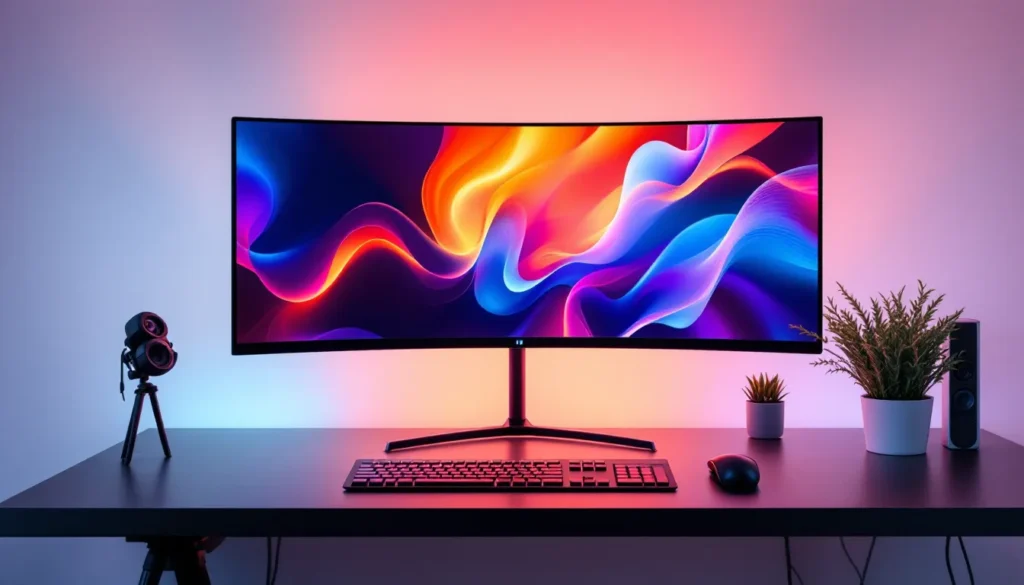
Dual monitor setups require either a single panoramic image (5120×1440 for two 1440p screens) or two complementary images. Panoramic options are rare for Nintendo content unless fan-made. Alternatively, use matched pairs: left monitor shows Link, right monitor shows Zelda: or split a single game’s biomes across both screens. Tools like DisplayFusion or Wallpaper Engine simplify dual-monitor management.
If you’re running triple monitors or a vertical secondary display, you’ll likely need custom editing (covered later).
Trending Nintendo Wallpaper Styles in 2026
Wallpaper trends shift with design culture and available technology. Here’s what’s hot right now.
Minimalist and Retro Pixel Art Designs
Minimalism has surged in popularity as remote work blurs the line between personal and professional spaces. A clean, monochrome Triforce or a single-color Mario silhouette keeps your desktop looking sharp during Zoom calls without sacrificing personality. These designs pair well with macOS or Windows 11’s flatter UI aesthetics.
Retro pixel art taps into both nostalgia and the current indie game boom. Fan artists create 16-bit or 8-bit tributes to modern games, imagine Breath of the Wild’s opening scene rendered in Super Metroid’s pixel style. These often perform better on lower-res or older displays where photorealistic images might expose screen limitations. Communities focused on Nintendo trivia and history frequently share these retro reimaginings.
4K and Ultra HD Game Screenshots
As 4K displays become standard and Switch 2 rumors suggest higher native resolutions, demand for ultra-HD Nintendo wallpapers has exploded. Players with capture cards record gameplay at 4K60 (via emulation or upscaling), freeze-frame cinematic moments, and share them online. Tears of the Kingdom running on emulators at 4K with reshade filters produces wallpaper-quality images Nintendo’s native hardware can’t match.
Official promotional screenshots from GameSpot and other gaming outlets during preview events often release in 4K. These typically arrive a few weeks before major launches. Bookmark your favorite gaming news sites and check their media galleries after each Nintendo Direct.
Creating Custom Nintendo Wallpapers
Sometimes the perfect wallpaper doesn’t exist yet. Here’s how to make it.
Tools and Software for Wallpaper Creation
Photoshop and GIMP (free alternative) handle most editing needs: cropping, color correction, combining multiple images, adding text overlays. If you’re pulling from game screenshots, OBS Studio or built-in console capture tools (Switch’s capture button, Xbox Game Bar on PC) provide source material.
For vector-based minimalist designs, Adobe Illustrator or Inkscape (free) let you create scalable artwork that looks sharp at any resolution. Trace official Nintendo logos, character silhouettes, or iconography, then arrange them into original compositions.
Wallpaper Engine (Steam, $4) includes a built-in editor for animated wallpapers. Import a static image, add particle effects (falling leaves for Animal Crossing, embers for a Metroid scene), or set subtle parallax movement. The Steam Workshop hosts thousands of user-made Nintendo wallpapers you can download or use as templates.
AI tools like DALL-E 3, Midjourney, or Stable Diffusion can generate Nintendo-inspired art, though results vary. Prompts like “Zelda landscape in Studio Ghibli style” or “retro pixel art Samus Aran” sometimes produce usable backgrounds. Be aware that these outputs occupy a legal gray area (discussed later).
Tips for Editing and Personalizing Wallpapers
Start with the highest-resolution source image possible. If you’re working from a 1080p screenshot, you’re capped at 1080p output, no amount of editing will add missing detail (unless you upscale with AI).
Cropping and framing: Use the rule of thirds. Place focal points (characters, landmarks) at intersection points rather than dead center. For mobile wallpapers, leave breathing room at the top and bottom for status bars and app docks.
Color grading: Adjust saturation, contrast, and brightness to match your desktop theme. A dark mode user might desaturate and darken a bright Mario wallpaper. Tools like Photoshop’s Curves or GIMP’s Color Balance let you shift entire palettes, cool blues for a moody Metroid vibe, warm oranges for a cozy Animal Crossing feel.
Text overlays: If you’re adding quotes or titles, use fonts that match Nintendo’s branding. Rodin (used in Switch UI), New Rodin (Splatoon), or pixel fonts like Press Start 2P maintain aesthetic consistency. Keep text minimal and position it where it won’t clash with desktop icons.
Layering elements: Combine multiple sources for original compositions. Overlay a Tears of the Kingdom sky island onto a Breath of the Wild sunset, or splice character renders from different games into a crossover scene. Use layer masks and blending modes (Multiply, Overlay, Screen) for natural integration.
Save in PNG (lossless) rather than JPG (lossy compression). Even if the original is JPG, exporting your edit as PNG preserves quality for future re-edits.
How to Properly Download and Set Your Nintendo Wallpaper
Downloading is straightforward, but a few steps ensure you’re getting the best quality and avoiding malware.
Right-click context confusion: On image-heavy sites, “Save Image As” sometimes grabs a thumbnail instead of the full file. Look for a dedicated “Download” button or click the image to open full-size in a new tab first. Check file size, anything under 500KB for a supposed 1080p image is likely compressed.
Browser extensions: Tools like Image Downloader (Chrome/Firefox) bulk-download all images on a page at max resolution. Useful for gallery pages or artist portfolios.
Setting wallpapers by platform:
- Windows 11: Right-click image > Set as desktop background. Or Settings > Personalization > Background > Browse Photos.
- macOS: System Preferences > Desktop & Screen Saver > + button to add image.
- Linux (GNOME/KDE): Right-click desktop > Change Background, or use
fehcommand-line tool for tiling window managers. - iOS: Open image in Photos > Share > Use as Wallpaper. Pinch/zoom to adjust framing.
- Android: Long-press home screen > Wallpapers > My Photos > select image.
Scaling options: “Fill” (crops to fit screen), “Fit” (shows entire image with possible black bars), “Stretch” (distorts aspect ratio, avoid), “Tile” (repeats image, only works for seamless patterns), “Center” (displays at native resolution, black bars if smaller than screen). For most Nintendo wallpapers, “Fill” or “Fit” works best.
If the wallpaper looks blurry after setting, you’ve likely grabbed a low-res version. Re-download at higher resolution or try a different source.
Legal Considerations and Copyright Guidelines
Nintendo protects its IP aggressively. Here’s how to stay on the right side of the law.
Personal use is generally safe. Downloading a Zelda wallpaper for your own desktop or phone doesn’t violate copyright. Nintendo hasn’t pursued individual users for private, non-commercial wallpaper use, and it’s unlikely they ever will, there’s no precedent and no financial incentive.
Distribution gets murky. Uploading Nintendo wallpapers to public sites, even for free, technically infringes copyright. Fan art occupies a tolerated gray area, Nintendo rarely issues takedowns unless the work is sold commercially or used to promote piracy. Most wallpaper aggregator sites operate under this informal truce.
Commercial use is off-limits. Selling Nintendo wallpapers, using them in monetized YouTube videos, or incorporating them into paid apps will trigger DMCA takedowns. Even crediting Nintendo doesn’t grant commercial rights.
AI-generated Nintendo art: If you use DALL-E or Midjourney to create a “Mario in the style of Van Gogh” wallpaper, copyright gets complicated. The AI company, the user, and Nintendo all have potential claims. For personal use, it’s a non-issue. For public distribution, tread carefully.
Official wallpapers from My Nintendo or press kits: These are provided for personal use only. Press materials are intended for media coverage, not redistribution, though enforcement is rare for non-commercial sharing.
Fan art licensing: If you download a wallpaper from an artist on DeviantArt or ArtStation, respect their listed license. “Creative Commons – Attribution” means you can use it but must credit the artist. “All Rights Reserved” means ask permission first. Many artists are fine with personal use but want a heads-up for public sharing.
Bottom line: Download and enjoy for personal use. Don’t sell, don’t claim as your own creation, and don’t use commercially without licensing. If you’re creating custom Switch-themed designs or other fan projects, the same common-sense rules apply.
Conclusion
Nintendo wallpapers do more than fill empty screen space, they bring the worlds you’ve explored into your everyday environment. Whether you’re rocking a 4K ultrawide setup with a panoramic Hyrule landscape or a minimalist pixel-art Metroid on your phone, the right nintendo background transforms a functional device into a personal statement.
The ecosystem for finding, creating, and customizing these wallpapers has never been richer. Official sources offer polished, high-res promotional art. Fan communities push creative boundaries with original compositions and retro tributes. Editing tools, from Photoshop to Wallpaper Engine, let you tailor every detail to your exact specs.
Just remember: match your resolution, respect aspect ratios, and keep it legal for personal use. The Switch library keeps expanding, new art styles keep emerging, and the wallpaper scene will keep evolving alongside it. Now go find something that makes you smile every time you unlock your screen.